

Last reviewed: August 7, 2026 · Editorial disclosure: This guide is published by Phonemax, a rugged-device manufacturer. Phonemax models mentioned below are examples from our own catalog and are clearly identified. Standards and technical claims are linked to official or specialist sources where available. No independent laboratory testing was conducted specifically for this article unless explicitly stated.
Quick answer
The best rugged phone in 2026 is not the model with the biggest battery or the longest list of durability badges. It is the phone that matches your actual hazards, network, workload, software needs and tolerance for size and weight. Before buying, verify the protection tests, ergonomics, screen, battery and charging, network bands, software support, navigation, cameras, controls, accessories and after-sales support.
Key takeaways
- Start with the environment. Drops, dust, wash-down, vibration, heat and long shifts are different problems.
- Verify test conditions. IP ratings and MIL-STD-810 methods do not prove the same things.
- Balance endurance with ergonomics. Battery capacity is useful only if the extra weight fits your workflow.
- Treat software and network support as durability. A physically tough phone can still fail the job if it loses app compatibility or carrier support.
- Pay for specialist features only when they solve a repeatable task. Night vision, thermal imaging and very large batteries are valuable for some users and unnecessary for others.
1. Define the environment before reading the specification sheet
Write down the conditions the phone will face every week. Examples include concrete drops, rain, immersion, high-pressure cleaning, fine dust, mud, motorcycle vibration, high or low temperatures, gloves, long shifts and limited access to charging.
This step matters because “rugged” is not one universal requirement. A warehouse device, a motorcycle navigation phone and an industrial wash-down device should not be evaluated with the same priorities.
2. Verify what the durability ratings actually cover
IP68, IP69K and MIL-STD-810H are not three levels on one toughness ladder. The IEC 60529 standard classifies degrees of enclosure protection using the IP Code. ISO 20653:2023 addresses IP-code protection for electrical equipment on road vehicles. The U.S. Department of Defense’s MIL-STD-810 record describes an environmental tailoring framework and test methods rather than one universal pass/fail test.
Before relying on a durability claim, ask which standard and method were used, the test conditions, drop height and surface if relevant, temperature range, whether the device was operating during the test and whether a report is available.
3. Check weight and dimensions before celebrating battery capacity
Large batteries can be excellent for navigation, field work and multi-day travel, but they add mass and volume. Check total weight, thickness, width, grip and whether the phone remains comfortable during one-handed use, long calls, scanning or vehicle mounting.
The practical question is not “How large is the battery?” but “Does the extra capacity earn the weight I will carry every day?”
4. Treat outdoor readability as a core field feature
Resolution alone does not tell you whether a display works outdoors. Look for sustained brightness, contrast in sunlight, anti-glare behavior, viewing angles, glove use, wet-hand behavior and touch accuracy. Peak brightness measured briefly is not the same as a display remaining readable during long navigation or field work.
For motorcycle, construction, agriculture and inspection workflows, screen usability can matter more than an additional camera sensor.
5. Match battery and charging to the workload
Estimate the functions that will run for hours: GPS, 5G, hotspot, high display brightness, video, Bluetooth accessories, PTT and background tracking. Then evaluate capacity together with charging speed, thermal behavior and the charging setup available in the field.
A very large battery with slow recovery may be less convenient than a smaller, efficient battery that can recharge quickly during a break or vehicle stop.
6. Evaluate navigation as a system
For outdoor and vehicle users, check supported GNSS constellations and, where relevant, dual-frequency positioning. Also test offline-map compatibility, compass behavior, location lock, track recording, mounting options and whether the device can maintain power while navigating.
A useful example from our own catalog is the Phonemax X3, which is positioned around night-vision imaging and outdoor navigation. The important buying lesson is broader than one model: verify the complete navigation workflow, not only a GPS logo.
7. Verify network bands for the country and carrier
“5G phone” does not mean “works perfectly on every 5G network.” Compare the exact LTE and 5G bands with the intended carrier, and verify VoLTE, roaming, dual-SIM or eSIM requirements where relevant. Business buyers should test a sample device on the real network before fleet deployment.
Band compatibility is necessary but does not by itself guarantee every carrier service or certification requirement.
8. Demand a published software-support policy
Software support is part of useful device life. Google’s current Android Enterprise Recommended requirements illustrate the level of transparency enterprise buyers should look for: participating device makers are required to publish information such as security-update support end dates, update frequency and guaranteed OS upgrades.
Even when a phone is not part of that program, buyers can still ask the same questions: What Android version ships today? How long are security updates promised? How many OS upgrades are guaranteed? Is Google Play certification available? Are enterprise-management features required?
9. Judge cameras by the task, not megapixels
For field work, test whether the camera can focus on labels, read QR codes, document equipment, handle indoor lighting and produce usable video. For photography-focused buyers, compare real image samples rather than headline megapixel numbers.
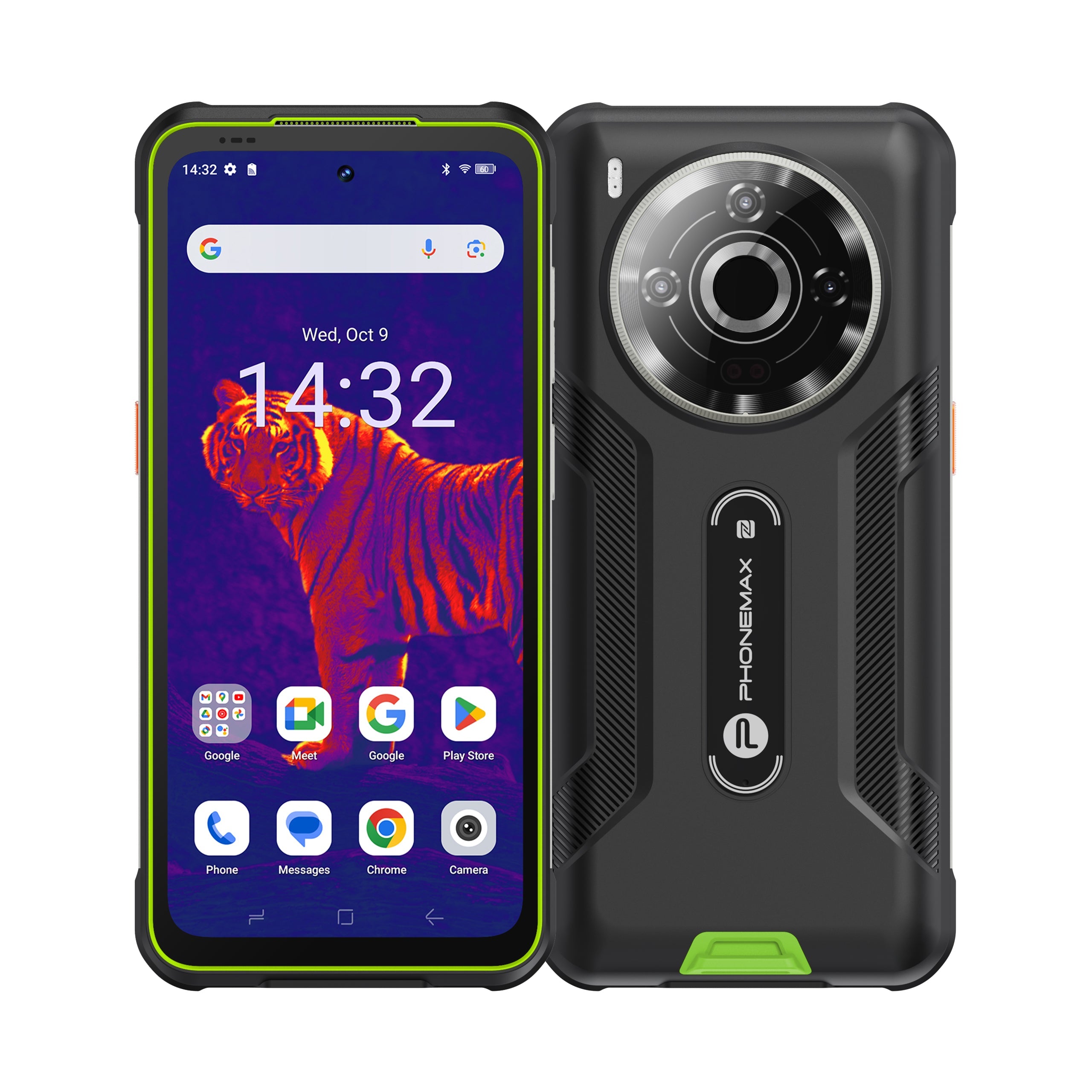
Specialist sensors should have a defined purpose. For example, the Phonemax P20 Pro is a thermal-imaging rugged phone in our own catalog. Thermal imaging makes sense when temperature patterns are part of a real inspection workflow; otherwise it may add cost without adding value.
10. Check physical controls and glove usability
Touchscreens become harder to use when hands are wet, dirty, cold or gloved. Useful rugged controls can include programmable side keys, PTT, SOS, a camera shortcut and large tactile power or volume buttons.
Evaluate the actual action: Can a worker trigger the required function quickly without removing gloves or navigating several menus?
11. Check the charging and accessory ecosystem
Ask about USB-C charging power, wireless charging if needed, pogo-pin docks, vehicle charging, motorcycle mounts, hand straps, screen protectors and replacement protective parts. A strong phone can still be the wrong tool if mounting or charging does not fit the workflow.
12. Check warranty, repair and manufacturer support
For long ownership or fleet deployment, ask about warranty length, repair process, replacement parts, battery-service options, firmware support, support contacts and expected turnaround. A cheaper phone can become expensive if downtime is long or essential parts are unavailable.
A practical Rugged Fit Score
The following 100-point framework is a Phonemax editorial decision aid, not an industry standard. Change the weights for your own use case.
| Category | Suggested weight | What to verify |
|---|---|---|
| Environment-relevant durability | 20 | Exact tests and conditions that match your hazards |
| Battery and charging | 15 | Runtime under your workload, charging recovery and heat |
| Display and field usability | 15 | Sunlight, gloves, wet touch and sustained visibility |
| Network and connectivity | 15 | Carrier bands, VoLTE, Wi-Fi, Bluetooth and NFC as needed |
| Software support | 15 | OS version, security-support period and app compatibility |
| Navigation / professional functions | 10 | GNSS, sensors, mounts, PTT, thermal or night vision if needed |
| Camera for the task | 5 | Real samples and workflow performance |
| Weight and comfort | 5 | Carry, grip and long-session comfort |
Three examples of matching the phone to the job
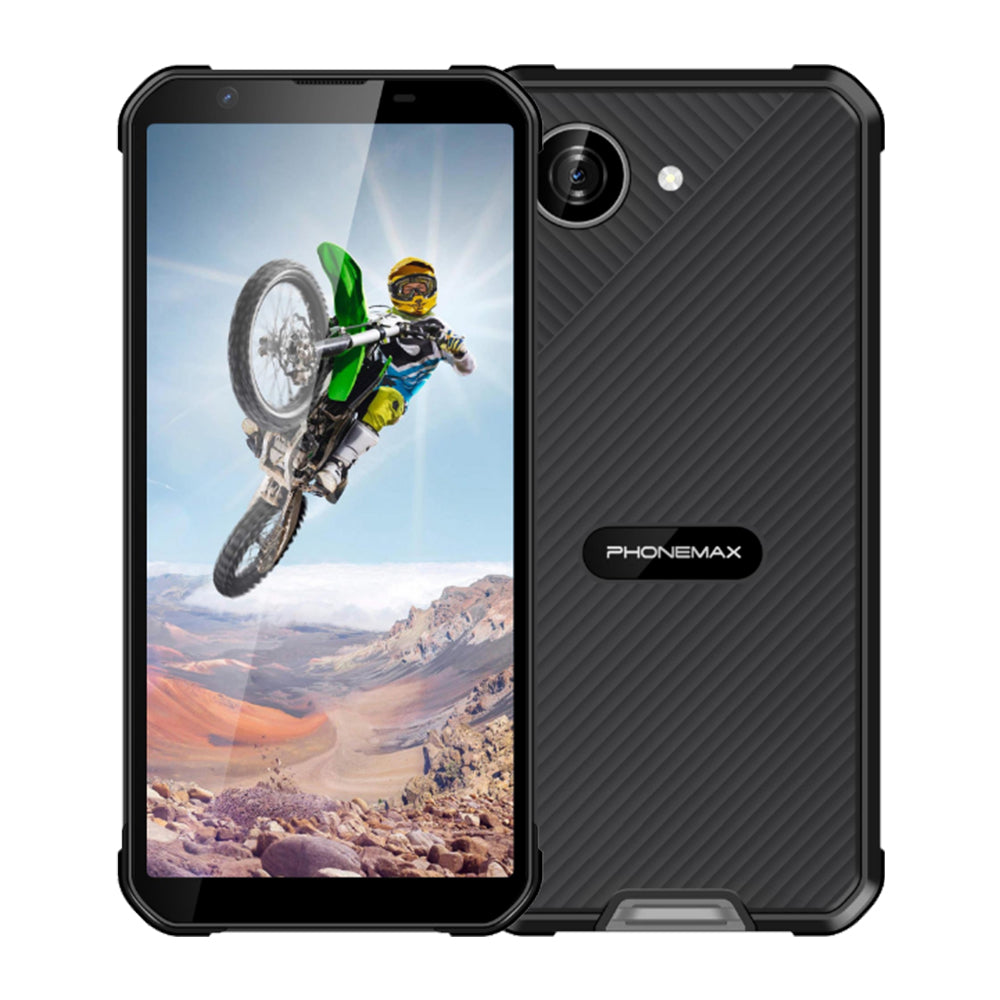
Compact everyday rugged use: Our Phonemax X5 listing emphasizes a 5.3-inch compact format, 238 g body, Android 16 and a 5000mAh battery. It illustrates a design choice that prioritizes manageable size rather than maximum battery capacity.
Low-light navigation and documentation: The Phonemax X3 is positioned around night vision and navigation-oriented use.
Temperature-related inspection: The Phonemax P20 Pro integrates thermal imaging for users who actually need temperature-pattern screening.
These are Phonemax products and therefore not independent recommendations. They are included to show how different rugged-phone designs solve different tasks.
Red flags on a rugged-phone product page
- “Military grade” without a specific method or test condition.
- Battery capacity without weight and dimensions.
- “Global 5G” without a band table.
- Camera megapixels without real samples.
- No stated software-support policy.
- No charging-time or charging-power information.
- Vague water-resistance wording without a standard.
- No clear warranty or repair path.
- Specialist features with no explanation of range, accuracy or limitations.
Limitations of this guide
Specifications cannot fully predict real-world behavior. Battery life changes with signal strength, temperature, screen brightness and applications. Navigation depends on environment and software. Water and impact resistance can change after damage or repair. Carrier compatibility can also vary by operator. For work-critical deployment, test the exact model in representative conditions before buying at scale.
Bottom line
Buying a rugged phone is a matching exercise: hazards + tasks + network + battery demand + software life + ergonomics. If one of those is ignored, the toughest-looking phone can still be the wrong purchase.
FAQ
What is the most important rugged-phone feature?
The feature that addresses your most common failure or workflow risk. That may be dust protection, battery, vibration resistance, sunlight readability, navigation or software support.
Is IP69K necessary?
Only when the associated high-pressure/high-temperature water exposure and the exact test standard are relevant to your environment. It is not automatically necessary for ordinary rain.
How much RAM should a rugged phone have in 2026?
There is no universal number. Choose based on the apps, multitasking, camera processing and expected ownership period, and verify the requirements of any critical business software.
Should a rugged phone have NFC?
Yes if you rely on contactless payments, access control, tags or field workflows. Otherwise it may not be a deciding feature.
Is software support really part of ruggedness?
For long-term ownership, yes. A physically intact phone that becomes insecure or incompatible with required apps no longer performs its job reliably.
Sources and verification
- IEC 60529 — Degrees of protection provided by enclosures (IP Code)
- ISO 20653:2023 — Road vehicles, IP-code enclosure protection
- U.S. DoD ASSIST — MIL-STD-810 Environmental Engineering Considerations and Laboratory Tests
- Android Enterprise Recommended requirements
Next step: shortlist models only after you have written down your real environment and must-have functions. If you are considering a Phonemax model, compare its product-page specifications with your carrier and workflow before ordering.

Leave a comment
All comments are moderated before being published.
This site is protected by hCaptcha and the hCaptcha Privacy Policy and Terms of Service apply.