
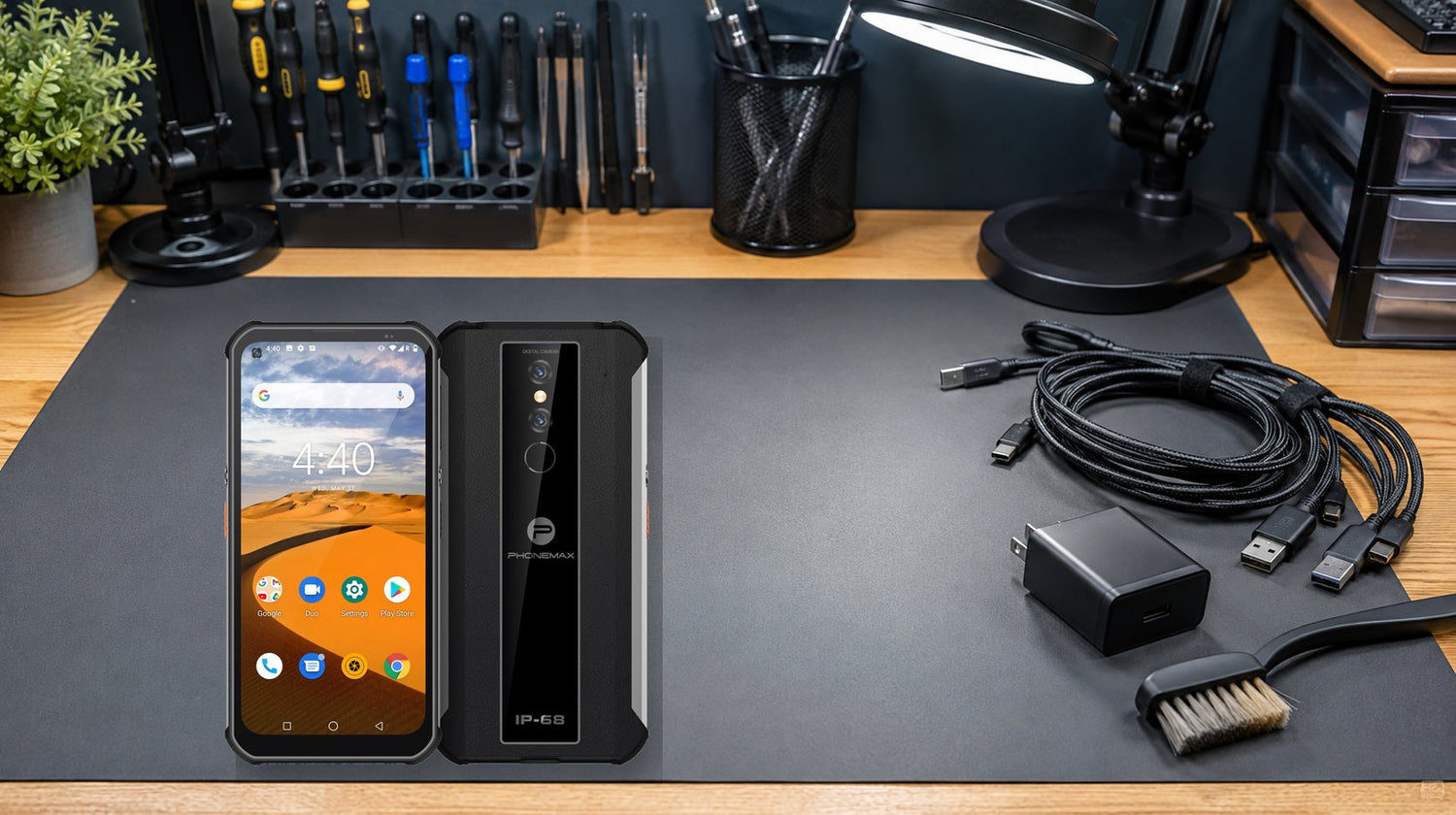
A rugged phone probably needs professional repair when charging failure persists across a known-good compatible cable, adapter and outlet; the port is clean and fully dry; a restart does not help; and the device shows heat, swelling, odor, intermittent connection or visible damage. Phonemax publishes this guide and uses P1 as a first-party example, not an independent repair verdict.
For the closest comparison, see 10,000mAh Rugged Phones: Practical Battery Life or Just Overkill?.
Start with safety, not repeated plugging
Stop immediately if the device is swollen, unusually hot, cracked near the battery, emitting odor or showing signs of liquid inside. Do not press a swollen enclosure flat, puncture a battery, apply heat, or keep cycling power. Move the device away from flammable material and follow the manufacturer’s service instructions.
If the phone or port is wet, disconnect power and let it dry naturally. Do not insert metal objects, compressed-air nozzles or absorbent fibers into the port. Rugged construction reduces some exposure risk, but port covers and seals can wear or be damaged.
Symptom-to-cause diagnostic sequence
1. No charging icon
Test the wall outlet with another device, then test a known-good compatible charger and cable. Inspect both connector ends under bright light. A cable that charges another device is useful evidence, although high-current charging compatibility can still differ.
2. Charging icon appears and disappears
Without forcing the plug, observe whether a light touch causes disconnection. Repeat with a second cable. Persistent movement sensitivity suggests worn contacts, debris, port damage or a loose internal connection.
3. Charges only while powered off
Restart the phone and check for a runaway app, extreme background load or temperature warning. If charging remains reliable only when off, collect battery-usage screenshots and seek service advice.
4. Charges slowly
Record starting percentage, room temperature, charger model and percentage after 30 minutes with the screen off. Slow charging can come from a low-output adapter, damaged cable, hot or cold battery, intensive background activity or battery aging. It is not by itself proof of a failed port.
Reproducible 30-minute isolation test
- Photograph the phone and port before testing.
- Bring the device to normal indoor temperature and confirm it is dry.
- Restart it, close nonessential apps and note the battery percentage.
- Connect a known-good compatible charger and cable directly to a wall outlet.
- Leave the screen off for 30 minutes; do not game, navigate or tether.
- Record percentage change, connection interruptions and temperature warnings.
- Repeat once with a second known-good cable. Change only one variable at a time.
Google’s Android battery guidance recommends restarting when battery problems persist and provides a structured path for unresolved battery issues. Device-specific instructions still take priority.
Repair decision table
| Evidence | Likely next step | Repair urgency |
|---|---|---|
| One cable fails; second cable works consistently | Replace cable | Low |
| Multiple chargers fail at one outlet only | Fix outlet/power source | Low; use qualified electrician |
| Port was wet; charging returns after full drying | Monitor seals and cover | Medium if repeated |
| Connector disconnects with slight movement across cables | Port inspection/service | High |
| Swelling, odor, smoke or abnormal heat | Stop use and isolate safely | Immediate |
| Percentage does not rise after controlled test, with no accessory fault | Manufacturer/service diagnosis | High |
| Slow charging only during GPS, hotspot or gaming | Load exceeds net charge rate | Change workflow first |
Where the Phonemax P1 fits—and the missing data
The current Phonemax P1 page explicitly lists a 6100mAh battery. It does not currently publish charging wattage, USB Power Delivery support, charger protocol, expected 0–100% time or user-replaceable-battery instructions. For that reason, this article does not prescribe a wattage or promise “fast charging.” Use the supplied documentation and a compatible charger, and ask Phonemax support for model-specific service guidance before replacing parts.
A larger battery can take longer to refill even when healthy. The correct baseline is the P1’s documented behavior with a compatible accessory, not a charging time borrowed from another model.
What not to do
Do not scrape a port with a pin, charge while the connector is wet, freeze or heat the phone to “reset” a battery, or install an unknown battery. Do not assume an IP claim makes powered wet charging safe. If the device is deployed for work, preserve logs and serial numbers so repeated failures can be separated from isolated accessory damage.
Two related checks are What Should Users Who Prioritize Battery Over Cameras Check Before Choosing a Rugged Phone? and How Should You Evaluate All-Day Gps Battery Drain Before Buying a Rugged Phone?.
FAQ
Does slow charging always mean the battery is failing?
No. Adapter output, cable resistance, temperature, screen use and background load can all reduce net charging speed.
Can I clean the port myself?
Only follow the manufacturer’s instructions. Avoid metal tools and liquids; professional inspection is safer when debris is compacted or contacts look damaged.
Why does charging stop at high battery percentages?
Some devices reduce charge rate to manage heat and battery stress. A single slowdown near full charge is not enough to diagnose failure.
When should a business replace rather than repair?
Compare repair cost, downtime, data-restoration effort, remaining support life and recurrence risk. Safety defects should not remain in service while that calculation is made.
Is P1 confirmed to support a specific fast-charging wattage?
Not on the current public product page. Confirm directly before purchasing chargers in volume.
Sources:
Next step: Record the controlled charging test before contacting service so accessory and hardware evidence can be reviewed separately.

Leave a comment
All comments are moderated before being published.
This site is protected by hCaptcha and the hCaptcha Privacy Policy and Terms of Service apply.