
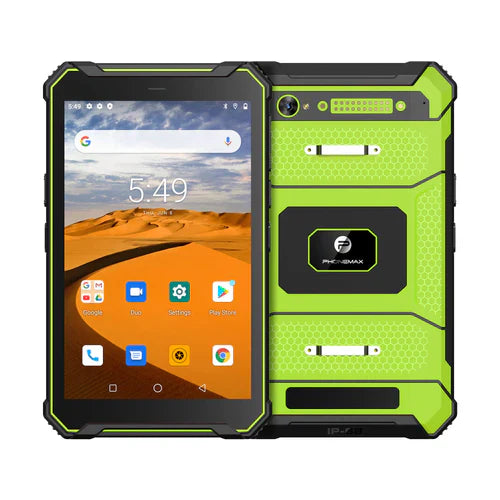
For remote assistance, judge whether the helper can see and hear what is needed to guide the task. A front-camera megapixel requirement is only one specification question. It does not settle framing, audio, orientation or what the recipient actually receives through the chosen app.
Define the helper's task
Choose a harmless demonstration with a clear outcome, such as explaining a labelled test component. Decide whether the worker needs to show their face, the work area or both. Ask the app owner which camera-switching and audio arrangements are supported.
| Remote-assistance step | What the receiving helper should assess |
|---|---|
| Join the session | The intended worker and helper reach the correct session |
| Frame the subject | The needed object or person is visible in the intended orientation |
| Explain an action | Both sides can understand the spoken instruction |
| Change camera if supported | The helper sees the intended view without losing the task |
| Confirm the outcome | The helper can verify the agreed demonstration result |
Keep camera specifications separate
The N1 listing identifies a 32MP rear camera. That does not establish a 5MP front camera or the streamed resolution of a call. Ask for the camera-by-camera specification of the offered version; compare the T1 for general field-work requirements.
Record the app, device build, connection conditions and the helper's observations. Use a safe work setting and non-sensitive content; do not conduct remote-assistance trials while driving or performing a hazardous task.
Discuss the required tablet configuration with Phonemax. This is an evaluation scenario, not a measured call-quality result, camera-resolution confirmation or remote-assistance compatibility approval.
Related guide: 4G Field Tablets: Test the Work App Through the Approved VPN.

Leave a comment
All comments are moderated before being published.
This site is protected by hCaptcha and the hCaptcha Privacy Policy and Terms of Service apply.