
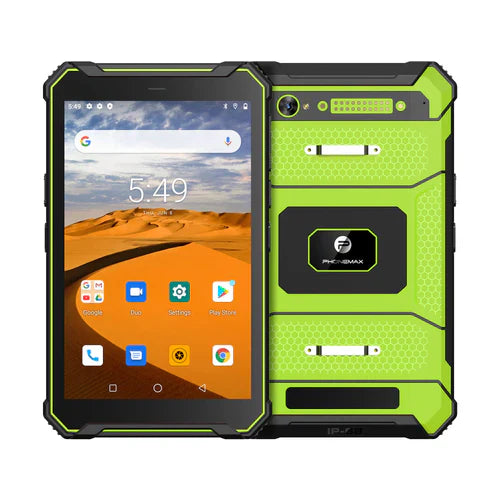
A rugged tablet project that specifies both 4G LTE and Wi-Fi 6 needs confirmation of the exact radio configuration and a trial of the work app across network changes. The current Phonemax T1 listing does not establish Wi-Fi 6 support; request model-specific documentation before making it a procurement requirement.
Define the transition that matters
Describe where workers leave site Wi-Fi, which records must remain available, and when uploads must resume. Include authentication, VPN use and the consequences of a failed transaction in the acceptance brief.
- Confirm cellular bands, carrier requirements and the supplied configuration.
- Ask for the supported Wi-Fi generation and security modes in writing.
- Run the actual app while moving between approved networks; check saved records, interrupted uploads and duplicate submissions.
- Record device variant, software version, access points and test locations.
Choose from verified configurations
The current T1 product page lists 128GB storage, with different RAM and Android versions by color. Those specifications do not prove a requested radio feature. For managed multi-user deployment, also use the shared T1 deployment checklist. Accept the network workflow only after the proposed hardware and production app have been evaluated together.


Leave a comment
All comments are moderated before being published.
This site is protected by hCaptcha and the hCaptcha Privacy Policy and Terms of Service apply.