
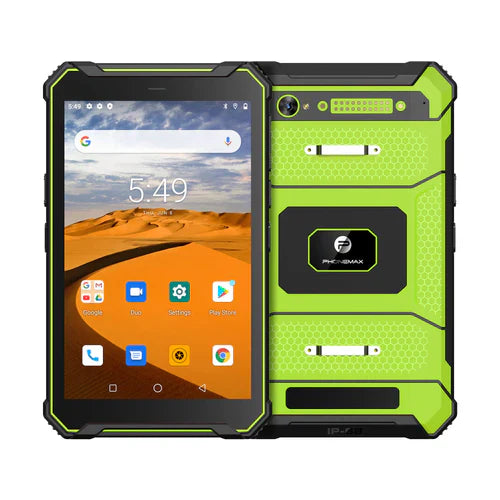
When a tablet moves between site workstations or vehicles, make the handover identify the active job and the last saved checkpoint. A durable enclosure cannot prevent an operator from continuing the wrong task after a transfer.
Use a four-step transfer record
- At an approved safe stopping point, save the current work and record the job or location ID.
- Confirm what is complete, what remains pending and whether any attachments are still waiting to transfer.
- Move the device using the approved handling and stowage arrangement. Follow site rules for movement around machinery.
- At the destination, reopen the record and compare the job ID and saved checkpoint before entering new information.
| Transfer type | Extra question |
|---|---|
| Same operator, different workstation | Has the task or location changed? |
| Different operator | Which account and responsibility should apply? |
| Different vehicle or holder | Is that physical arrangement separately approved? |
Evaluate with a harmless sample
Rehearse a normal transfer using a disposable job. Compare the saved and reopened record, and note any pending synchronization. This checks the workflow; it does not test impact protection, vibration resistance or safe retention in a vehicle.
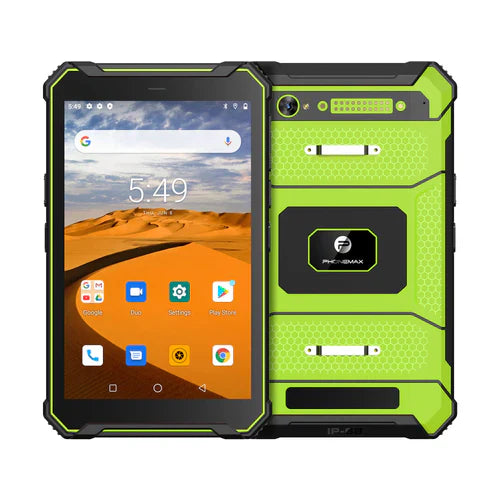
The T1 listing describes a field-work tablet with Gray Android 16/6GB/128GB and Green Android 10/8GB/128GB versions. Neither configuration establishes your site's handover process, mounting approval or application behavior.
No site-transfer trial is reported here. Pair this process with the return-to-task check after an app reload. Contact Phonemax with your software and handling requirements.


Commenta
Nota che i commenti devono essere approvati prima di essere pubblicati.
Questo sito è protetto da hCaptcha e applica le Norme sulla privacy e i Termini di servizio di hCaptcha.