
Price update — October 8, 2026: Prices in this guide were rechecked in USD against the listed product configurations. Prices and availability may change; confirm the selected configuration on its product page before ordering.
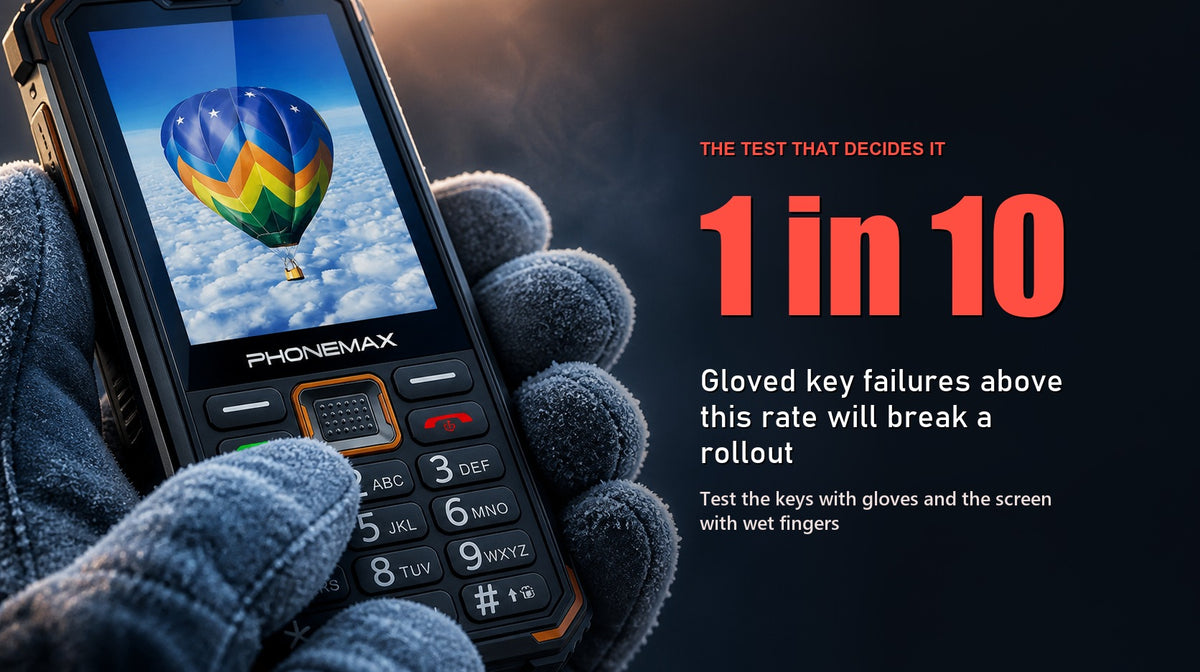
Test the keys with the gloves your work requires and test the touchscreen in the wet, cold or low-light conditions you actually encounter. Those checks help show whether the Phonemax F4 T's combination of large physical controls and a touchscreen adds useful input redundancy. An office test alone does not represent every field condition.
Key facts
| Specification | Phonemax F4 T |
|---|---|
| Product type | Android-based touchscreen feature phone |
| Input | Large physical controls plus touchscreen |
| Battery | 2500 mAh |
| Speaker | 3W, rated up to approximately 120 dB under test conditions |
| Applications | Compatible Android communication and social apps |
| Colours | Orange, Grey — both in stock |
| Price | $79.90 |
The comparable Phonemax F3 T at $69.90 shares the same 2500 mAh battery and 3W speaker but has a conventional keypad rather than large controls. That $10 difference is precisely what this evaluation is testing.
Why hybrid input exists
Physical keys and touchscreens can behave differently across gloves, moisture, temperature and dexterity, which is the reason to test both input methods.
Touchscreen performance can vary with glove material, moisture, rain, temperature and contamination. Non-capacitive gloves commonly prevent touch input, while water can cause missed or unintended touches; test the actual gloves and conditions used by your team.
Physical keys have their own limits. They are mechanically simple and easy to operate by feel, but they can still be affected by dirt, wear, thick gloves and the mechanism itself, and they may be slower for tasks such as entering an address or scrolling a long list.
A hybrid device lets each method do what it is good at. Keys for the call you must place right now with gloves on in the rain; touch for the occasional task where a keypad would be painful.
The failure mode to test for is a device that does both badly — keys too small or mushy to find by feel, and a screen too small or unresponsive to be worth using. At $79.90 that is a real risk and the reason to evaluate rather than assume.
The evaluation
Test 1: Gloved key operation
The single most important test.
Wear the gloves your work actually requires — not thin liners, the real ones. Then, without looking, place a call to a speed-dial number, answer an incoming call, and end it.
What you are checking:
- Can you locate the keys by feel alone, using the physical landmarks?
- Do presses register first time, or do you double-press?
- Can you tell by feel that a press registered?
- Can you do it one-handed?
As a practical screening baseline, record the first-press success rate across ten attempts per condition. This is a Phonemax-authored test method, not a validated ergonomics or accessibility standard. Compare the result with your organisation's own acceptable error rate and repeat it across multiple representative users.
Test 2: Gloved and wet touchscreen
Now the other half. With gloves on, try the touchscreen. It may not work unless the gloves are capacitive; record the result and check whether the physical keys cover the required task. Record it as a fact rather than a fault.
Then remove the gloves, wet your fingers, and try again. Water on the screen or fingers can cause missed or unintended input on capacitive displays. What you want to know is how bad it is and whether the keys cover you when it happens.
Test 3: Darkness and by-feel operation
Turn the lights off. Can you find the call key, the end key and the navigation controls by touch?
Large physical controls should have distinguishable shape or spacing that makes this possible. If you cannot operate the phone in the dark without looking, the large controls are not delivering their main benefit and the cheaper F3 T would serve equally.
Test 4: Cold
If your work involves cold, test cold. Battery capacity drops, and more relevantly, fingers get clumsy and gloves get thicker. A key layout that works in autumn may not work in January.
Test 5: Accessibility
If the device is intended for users with reduced dexterity, tremor or visual impairment — a common and legitimate reason to choose large controls — test with those users, not with a proxy.
Check whether key size and spacing genuinely reduce mis-presses, whether tactile differentiation is sufficient, and whether the touchscreen is usable as a fallback or effectively unavailable. This use case is often the strongest justification for the F4 T over the F3 T, and it deserves a real test rather than an assumption.
Test 6: The applications, honestly
The device supports compatible Android communication and social apps, but availability and performance depend on software version, network, memory and regional support.
Install what you actually need and use it. Small-screen Android apps on a feature-phone form factor can be awkward, and if the app is central to the role that is a decision-changing finding.
Test 7: Audio, in the real environment
The 3W speaker is rated up to approximately 120 dB under test conditions. Verify it where the phone will be used — noisy site, roadside, workshop — with the phone carried the way it will actually be carried. A test-condition rating and your environment are different things.
Recording the results
Same fields each time: date, unit, tester, environment (temperature, light, wet or dry), gloves worn, the test performed, attempts, failures, and a plain-language note.
"Keys hard to use with gloves" is not evidence. "2 of 10 gloved speed-dial attempts required a second press, unit A, 6°C, standard issue rigger gloves, 14 Nov, J. Okafor" is.
Then summarise against the decision: not "the F4 T is good", but "for gloved one-handed calling in winter conditions, 9 of 10 attempts succeeded first time; touchscreen unusable with gloves as expected; keys locatable in darkness."
F4 T or F3 T: what the evaluation should tell you
If your tests show gloved and dark operation matters, the F4 T's large controls justify the $10.
If your users are bare-handed in reasonable light, the F3 T at $69.90 lists the same 2500 mAh battery and 3W speaker for less. Across a hundred-unit fleet that is $1,000 that does nothing for you.
There is no general answer. That is the reason to run the test.
Comparison: when neither is right
If photographic documentation is part of the role, a feature phone will frustrate. The Phonemax P2 at $191 offers a 21MP rear camera, a published 6100 mAh battery and IP68/IP69K protection.
If the environment is wet or dusty, note that no IP rating is published for the F4 T. The Phonemax X5 from $129 provides Android 16, a 5.3-inch display, 5000 mAh and IP68 protection.
If night work needs light, the Phonemax X2 from $115 includes a torch, with no certified brightness figure published.
Compare within the Feature Phones and Rugged Phones collections.
Limitations and what to know
- No IP rating is published for the F4 T. Do not assume water or dust resistance, which is directly relevant if you are testing wet-finger operation in an outdoor role.
- The 120 dB speaker rating is a manufacturer test-condition figure, not independently verified.
- 2500 mAh is a modest battery. A fixed charging routine is required.
- This is a hybrid feature phone, not a smartphone. Verify required applications before deploying at scale.
- Capacitive touchscreens often do not respond to non-capacitive gloves. Test the gloves used in the role and rely on the physical controls for tasks they support.
- No lone-worker safety features — no panic button, no man-down detection.
- Key size and spacing figures are not published. The evaluation is necessarily hands-on because there is no specification to compare.
- No independent third-party review of the F4 T exists that we are aware of.
FAQ
Will the F4 T touchscreen work with gloves? Generally not, unless the gloves are capacitive. That is normal for capacitive touchscreens and is precisely why the device retains large physical keys — the keys are the gloved input method.
What is the difference between the F4 T and the F3 T? The F4 T at $79.90 has large physical controls; the F3 T at $69.90 has a conventional keypad. Both list the same 2500 mAh battery and 3W speaker.
Are the key dimensions published? No. Key size and spacing figures are not published, which is why evaluating this device requires hands-on testing rather than a specification comparison.
Is the F4 T suitable for users with reduced dexterity or visual impairment? Large physical controls are a common and legitimate reason to choose it, but test with the actual users rather than assuming. Tactile differentiation and spacing need verifying against real needs.
Is the F4 T waterproof? No IP rating is published for this model. Do not assume ingress protection.
How many test attempts are enough? There is no universal number. Ten attempts per condition with more than one representative user is a useful screening baseline, not a validated standard. Increase the sample for safety-critical or fleet-wide decisions.
Evidence notes
This guide is published by Phonemax and is commercial content; both devices mentioned are ones we sell. Specifications are first-party manufacturer data read from our live product pages and checked in September 2026 — prices may change. Key size and spacing are not published, so the evaluation is a hands-on protocol rather than a spec comparison, and the protocol is Phonemax-authored and not externally validated. No IP rating is published for the F4 T, and the 120 dB speaker figure is a manufacturer test-condition rating with no independent verification. No independent third-party review of the F4 T is known to us.
Sources and references
- Phonemax F4 T product page — manufacturer specifications
- Phonemax F3 T product page — conventional-keypad comparison
- Phonemax Feature Phones collection
Evidence boundaries: all specifications are first-party manufacturer data, with no independent testing available for the F4 T or F3 T. Key dimensions, IP rating and battery runtime are not published for either model in any source. The 120 dB speaker rating is a manufacturer test-condition figure that has not been independently verified. The evaluation protocol reflects general usability-testing practice and has not been validated against a published accessibility or ergonomics standard.
Related guides
- Phonemax F2 vs F3 T vs F4 T: Which Feature Phone Should You Choose?
- Phonemax F4 T: Classic Keys Meet Smarter Connectivity
- Phonemax F3 T: Who Is It Best Suited For? A Task-Based Buying Guide


Laat een reactie achter
Alle reacties worden gemodereerd voordat ze worden gepubliceerd.
Deze site wordt beschermd door hCaptcha en het privacybeleid en de servicevoorwaarden van hCaptcha zijn van toepassing.