
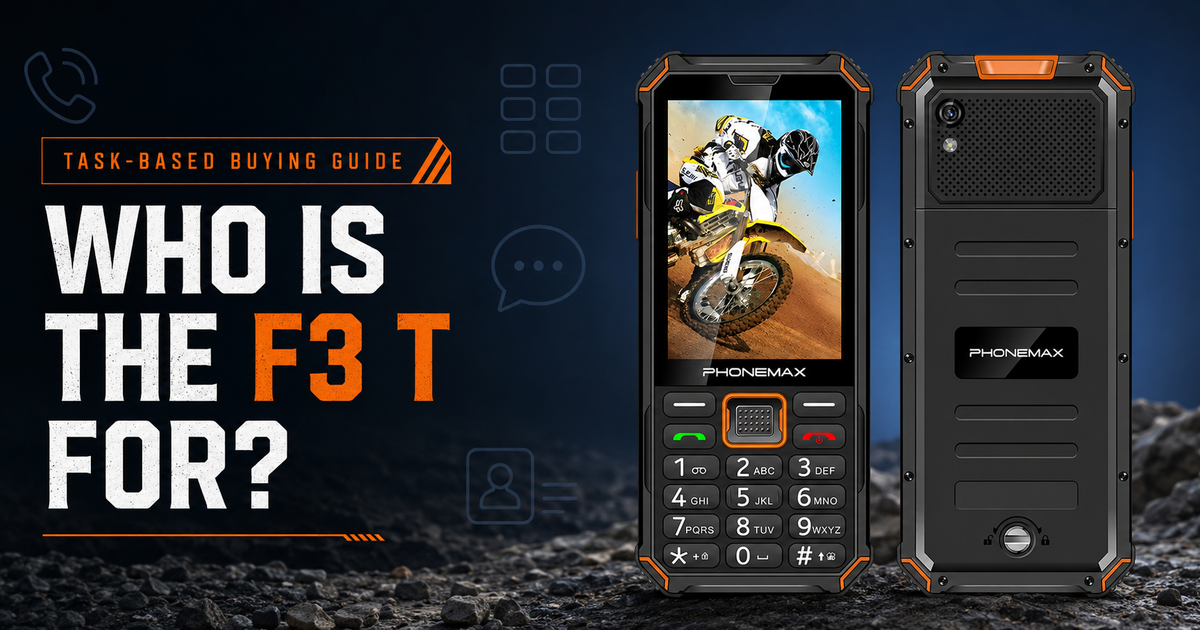
Answer first: The Phonemax F3 T is best suited to people who want physical number keys for frequent calls but still need an Android touchscreen for selected apps. It is a task-fit device, not a universal replacement for every smartphone: buyers should verify app, network, audio and workplace requirements before deployment.
Start with the task, not the feature list
A hybrid phone makes sense when the same worker must place predictable calls, enter numbers by touch and occasionally use an Android app. The F3 T combines a physical keypad and touchscreen, so the buying decision should focus on how often each input method is needed.
| Reader task | Why F3 T may fit | What to verify |
|---|---|---|
| Frequent voice calls | Dedicated number and call keys support familiar dialing | Local carrier acceptance, SIM provisioning and call quality at the actual site |
| Simple Android workflows | Touchscreen access can support selected apps | Exact app version, screen layout, permissions and mobile-device policy |
| Noisy work areas | Phonemax lists a 3 W speaker and an up-to-approximately-120 dB test figure | Real intelligibility, safe listening practice and required hearing protection |
| Long or specialized field shifts | Keypad-first operation may reduce unnecessary screen interaction | Whether the 2,500 mAh battery and charging plan fit the shift |
Verified F3 T fact block
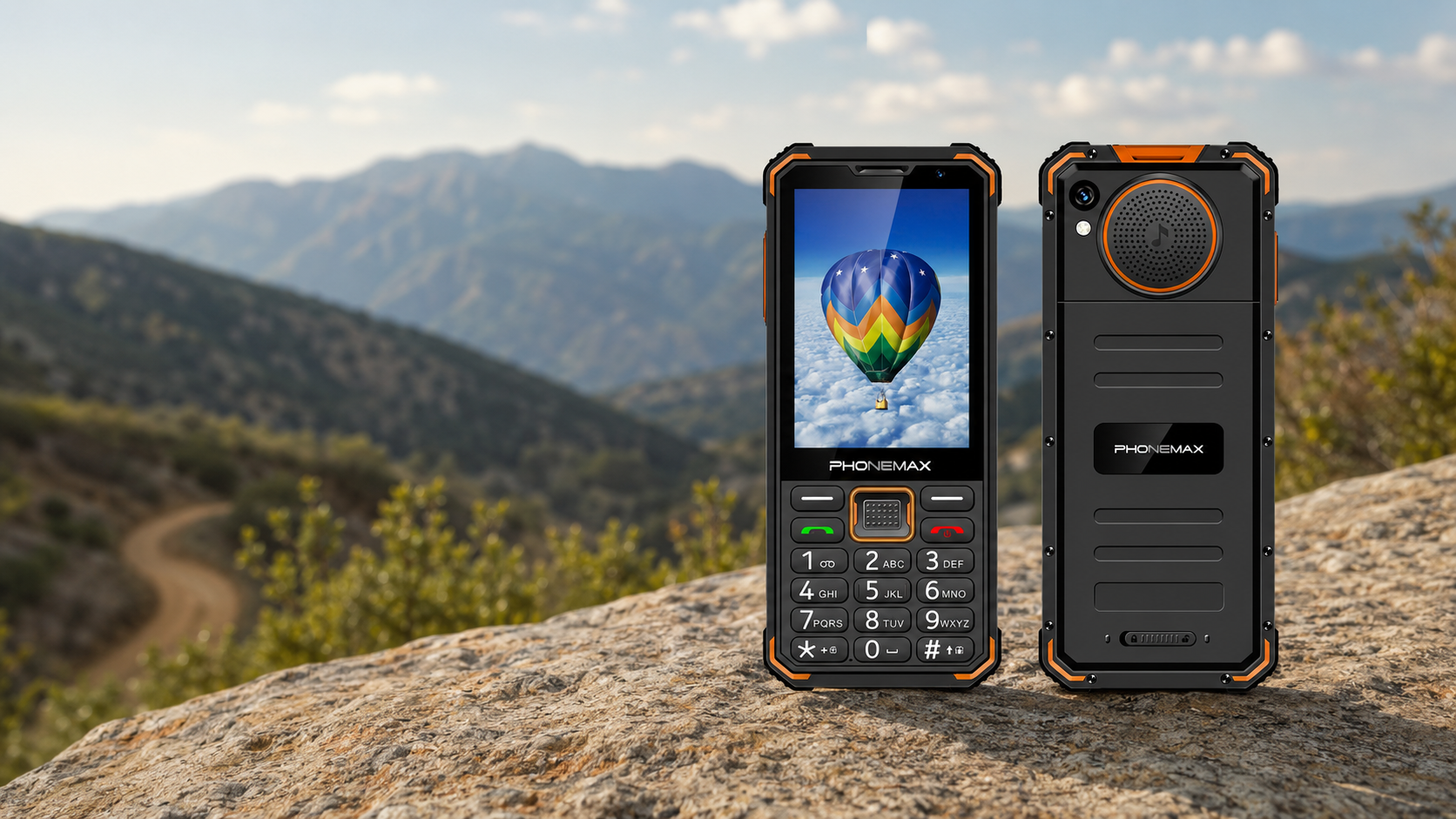
- Hybrid input: physical keypad plus touchscreen
- Operating platform: Android
- Battery capacity listed by Phonemax: 2,500 mAh
- Speaker specification listed by Phonemax: 3 W, with an up-to-approximately-120 dB figure under stated test conditions
- SIM/network positioning shown by Phonemax: 4G and dual Nano-SIM
These are first-party product specifications, not results from an independent laboratory. Capacity and wattage alone do not establish battery runtime, speech intelligibility or safety in every environment.
Who should shortlist the F3 T?
Teams with repeatable calling workflows
Security desks, facilities teams, dispatch-linked workers and other call-heavy roles may benefit when dialing by physical key is more important than having a large media screen.
Users moving from a classic feature phone
The keypad can preserve a familiar interaction pattern while the touchscreen provides access to Android functions. Training is still required: an Android app may not be optimized for this screen or input layout.
Buyers who can pilot before scaling
The strongest fit is an organization able to test a small batch with its SIMs, required applications and normal protective equipment before making a larger purchase.
When should you choose something else?
- Choose a larger touchscreen phone when maps, documents, dashboards or long-form typing dominate the shift.
- Choose a device validated by your carrier or IT team when network admission or managed enrollment is mandatory.
- Use approved radios, alarms and hearing-protection procedures where safety communication is regulated. A loud phone speaker is not a substitute.
- Choose a different battery/charging plan if a supervised field trial does not cover the required shift.
Five checks before buying
- App check: install the exact production apps and complete the real workflow.
- SIM check: ask the carrier to check the device and test calls, messages and data at deployment locations.
- Audio check: evaluate intelligibility at a safe listening level in the real environment.
- Battery check: run a representative shift; do not convert 2,500 mAh into an unsupported number of hours.
- Glove and training check: confirm workers can operate the required keys and touchscreen controls with their normal PPE.
For a broader decision framework, see Physical Keys or Touchscreen for Field Communication.
Limitations and trade-offs
The F3 T's compact hybrid layout is its purpose, but that also means less screen area than a conventional smartphone. Android availability does not guarantee that every app, enterprise-control system or accessory will work. Published band information does not guarantee service on a specific carrier. OSHA explains that workplace noise must be controlled through an occupational hearing-conservation program where required; a loud speaker does not certify safe use in high-noise areas.
FAQ
Is the F3 T only a feature phone?
No. Phonemax describes it as an Android device with both a touchscreen and physical keypad.
Does the F3 T guarantee app compatibility?
No. Test the exact app, permissions, screen layout and policy before deployment.
Does the speaker rating replace hearing protection?
No. Follow workplace noise controls and hearing-protection requirements.
Can 2,500 mAh be converted into shift length?
Not responsibly without a controlled workload test. Signal strength, screen use, calls, apps, temperature and battery condition affect runtime.
Sources
- Phonemax F3 T product page — first-party product specifications.
- OSHA Occupational Noise Exposure — independent regulatory context for workplace noise controls; not a phone test.
Publisher disclosure
This guide is published by Phonemax about the Phonemax F3 T. The keypad/touchscreen design, Android platform, 2,500 mAh battery, 3 W speaker, approximate test-condition sound figure and SIM/network descriptions come from Phonemax first-party materials. OSHA is named only for independent workplace-noise and hearing-conservation context; OSHA did not test, certify or endorse the F3 T. No relevant link in the supplied third-party review library directly evaluated this model for this task, so none was used. No independent battery-runtime, carrier-acceptance or app-compatibility test is claimed. Phonemax is the manufacturer and publisher, so this is first-party commercial content, not an independent review.

Laat een reactie achter
Alle reacties worden gemodereerd voordat ze worden gepubliceerd.
Deze site wordt beschermd door hCaptcha en het privacybeleid en de servicevoorwaarden van hCaptcha zijn van toepassing.