
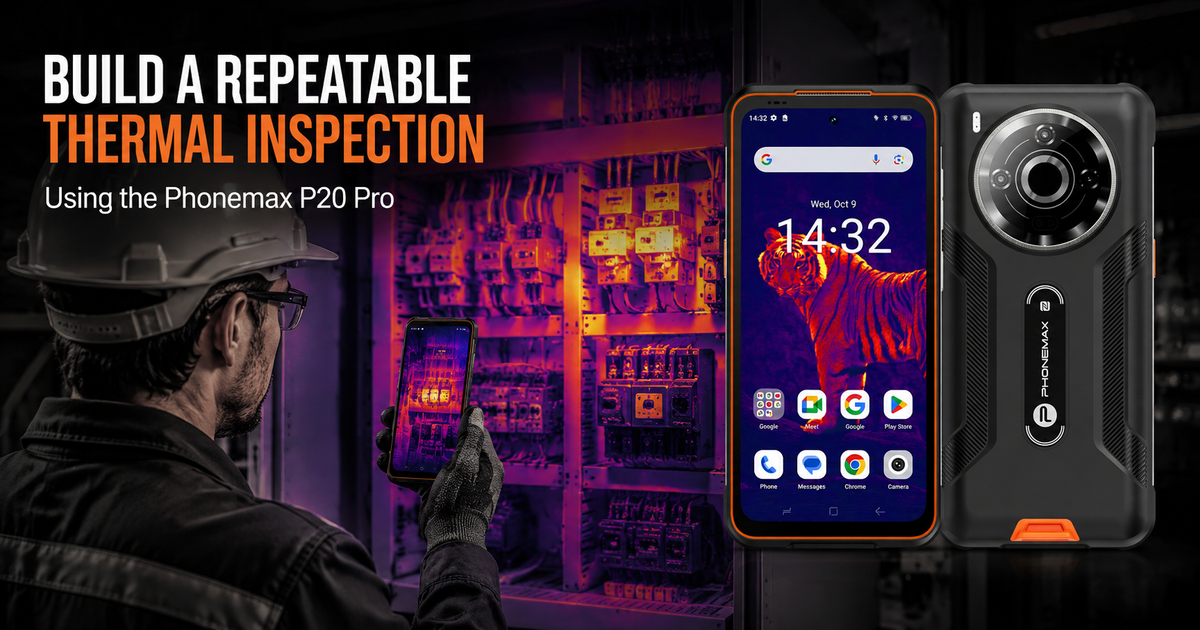
A useful thermal inspection is repeatable, not merely colorful. To compare today’s image with next month’s image, technicians should record the same asset, load condition, viewing angle, distance, emissivity setting and ambient context. The Phonemax P20 Pro can place thermal imaging and mobile documentation in one rugged 5G device, but the quality of the conclusion still depends on the inspection method.
What the P20 Pro contributes
The current Phonemax product listing identifies the P20 Pro as a 5G rugged smartphone with integrated HIKMICRO thermal imaging. It lists 256 × 192 thermal resolution, a 10,000mAh battery, 66W charging, Android 14, a 6.6-inch 120Hz display, L1/L5 positioning and a 394g body. Those are first-party specifications, not an independent performance test.
A seven-step repeatable inspection
- Define the route. Use a fixed asset list and identifier so the same panels, bearings, pipes or connections are checked in the same order.
- Record operating conditions. Note load, ambient temperature, weather, ventilation state and any recent maintenance. A temperature pattern under low load may not be comparable with one captured under high load.
- Control distance and angle. Stand in approximately the same position. Shiny surfaces can reflect thermal energy from the operator, nearby machinery or the sky.
- Set emissivity deliberately. Do not assume one setting suits paint, oxidized metal, polished metal, glass and insulation.
- Capture thermal and visible context. Include an asset label or a visible-light reference image so another technician can locate the same point.
- Save a baseline before setting alarms. A baseline helps identify change. One isolated apparent temperature should not automatically become a pass/fail threshold.
- Escalate anomalies safely. Treat thermal imaging as a screening and prioritization tool. Follow site procedures and use qualified personnel and appropriate instruments for diagnosis.
Why emissivity and reflection matter
HIKMICRO’s thermography guidance recommends monitoring and adjusting emissivity, choosing an appropriate viewing position, focusing correctly and saving radiometric images when supported. Its electrical-fault guidance also identifies emissivity, background temperature and distance as important parameters for accurate measurement.
A bright region on a polished connector can be a reflection rather than the component’s true surface temperature. For this reason, a repeatable route should record surface type and viewing geometry instead of comparing screenshots without context.
Use a consistent record
| Field | Example entry |
|---|---|
| Asset ID | Panel A / breaker 04 |
| Date and time | ISO date plus local time |
| Load or operating state | Measured or documented condition |
| Distance and angle | Repeatable inspection position |
| Surface and emissivity | Material plus selected setting |
| Ambient context | Temperature, wind or ventilation notes |
| Thermal and visible images | Matched filenames |
| Action | Monitor, retest or escalate |
What a thermal phone should not replace
It should not replace electrical safety procedures, lockout/tagout requirements, calibrated contact instruments where required, or professional interpretation. It also cannot see through walls. Thermal imaging records surface infrared patterns; the cause of an anomaly must be confirmed.
Explore the Phonemax P20 Pro. If thermal imaging is not required, compare the decision factors in Do You Really Need a Thermal Camera on a 5G Rugged Phone?
FAQ
Can two thermal images be compared if the load changed?
Only with caution. Load and environmental differences can change the thermal pattern, so they should be recorded and considered.
Does a hot-looking color prove a fault?
No. Palette, scale, emissivity, reflection and operating conditions affect interpretation.
Can thermal imaging see inside equipment?
No. It detects infrared radiation from visible surfaces.
Sources
Publisher disclosure: Phonemax publishes this guide and sells the Phonemax P20 Pro. The model’s integrated HIKMICRO thermal system, 256 × 192 thermal resolution, battery, charging, Android version, display, positioning, dimensions, weight and network information are first-party product claims from the current Phonemax Shopify listing checked on September 1, 2026. HIKMICRO is named as an independent technical source for general thermography practice involving emissivity, viewing position, radiometric records, background temperature and distance. Those materials do not constitute independent testing, certification or endorsement of the Phonemax P20 Pro. No sponsored review, supplied-sample review or affiliate article was used.


Leave a comment
All comments are moderated before being published.
This site is protected by hCaptcha and the hCaptcha Privacy Policy and Terms of Service apply.