
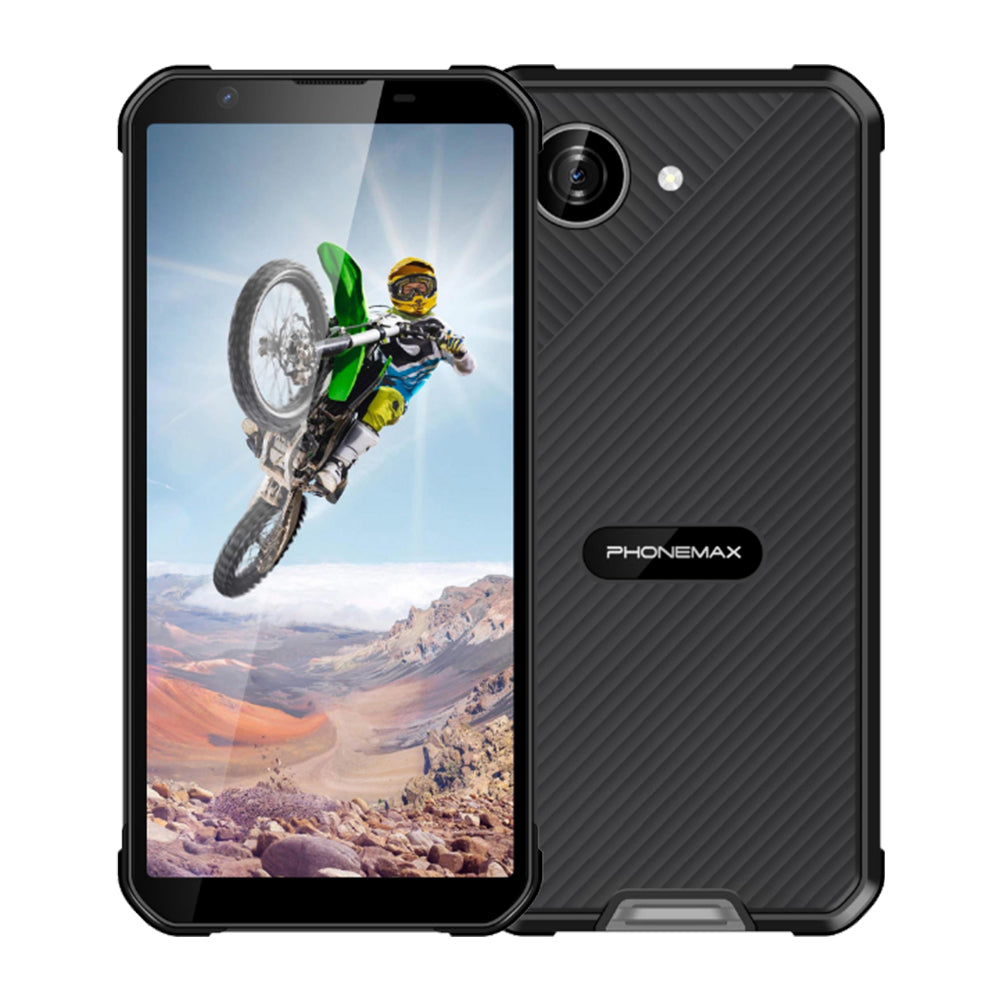
Short answer: often, yes—for occasional or moderate field connectivity. A rugged Android phone can share its mobile-data connection with a laptop, tablet, or another phone, which can remove one device from a field kit. But a phone is not automatically a full replacement for a dedicated hotspot. Carrier tethering rules, network-band compatibility, signal conditions, battery drain, heat, the number of connected devices, and the length of each session all matter.
Google’s Android Help documentation states that most Android phones can share mobile data by Wi-Fi, Bluetooth, or USB, while also warning that some carriers limit tethering or charge extra for it. That makes the first decision point simple: confirm the mobile plan before comparing hardware.
When a rugged phone can replace a hotspot
A rugged phone is a strong candidate when the same worker already carries the phone, the connection is mainly needed for one or a few devices, and tethering is used in defined sessions rather than continuously all day. Examples include synchronizing a laptop at a service stop, uploading inspection photos from a tablet, connecting a diagnostic device, or giving a second team member temporary access.
| Field condition | Phone hotspot fit | Why |
|---|---|---|
| One laptop for short sync sessions | Good | Reduces equipment and setup steps. |
| Tablet + laptop used intermittently | Usually good | Practical if the carrier allows tethering and battery use is managed. |
| Several devices connected for a full shift | Test carefully | Continuous radio, Wi-Fi and screen/app activity can increase power and thermal load. |
| Connectivity is mission-critical for a whole crew | Dedicated hotspot may be better | Separating the communications role from the worker’s primary phone reduces a single point of failure. |
Do not evaluate tethering by “5G” alone
A 5G label is not enough to predict hotspot performance. The phone must support the bands used by the local carrier, the SIM plan must permit tethering, and the actual worksite must have usable coverage. In some remote locations, a well-matched 4G connection can be more useful than theoretical 5G capability that is not available at the site.
For Phonemax devices, the relevant choice depends on the job. The Phonemax P20 is the 5G-oriented option in this group. The Phonemax M10 is positioned around broad 4G band support. The Phonemax X5 combines a compact 5.3-inch form factor with Android 16 and a 5000mAh battery. Buyers should still verify the exact regional version and carrier requirements before deployment.
The battery question is really a duty-cycle question
Tethering makes the phone perform two communications jobs at once: maintain the cellular link and create a local connection for other devices. Google recommends plugging devices in while tethering and turning tethering off when it is no longer needed. For field work, that recommendation should become a deployment policy rather than an afterthought.
Instead of asking “How many hours will the hotspot last?”, define the expected duty cycle: How many sessions per shift? How long is each session? Is the phone also running maps, camera, messaging, VPN, MDM, or inspection apps? Will the device be charging in a vehicle or direct sun? Those variables determine whether one battery can support both the phone’s primary job and the connectivity role.
Heat can be a hidden constraint
Long tethering sessions can combine cellular traffic, Wi-Fi activity, charging, navigation, and a warm environment. That is especially important in vehicles, equipment cabs, outdoor summer work, or sealed mounts. A rugged enclosure protects against physical hazards, but it does not make thermal management irrelevant.
For deployment testing, reproduce the worst realistic combination: the weakest expected signal, the intended number of clients, normal work apps, and the actual charging arrangement. If the device will sit in a windshield mount, test it there—not on a cool office desk.
A five-step field validation before replacing the hotspot
- Confirm the plan. Ask the carrier whether tethering is allowed, metered separately, throttled, or subject to a data cap.
- Confirm the exact device version. Match its cellular bands to the carrier and deployment country.
- Run a realistic client load. Connect the same laptop, tablet, scanner, or other equipment the team will use.
- Measure a real shift segment. Record battery change, device temperature behavior, reconnections, and upload/download reliability.
- Test failure recovery. Check what happens after loss of coverage, a reboot, a SIM change, or a depleted battery.
When a dedicated hotspot still earns its place
A dedicated hotspot makes sense when connectivity is a shared team resource rather than an individual worker function. It can also make operational sense when the phone must remain available for calls, navigation, photographs, two-factor authentication, or emergency communication while a separate device provides the network connection.
The decision therefore is not “phone or hotspot” in general. It is whether the phone can safely absorb a second operational role without compromising its first one.
FAQ
Can most Android phones share mobile data?
Yes. Google says most Android phones can share mobile data through Wi-Fi, Bluetooth, or USB. Exact menus and capabilities vary by device and Android version.
Can a carrier block or charge for tethering?
Yes. Google specifically notes that some carriers limit tethering or charge extra, so the SIM plan should be checked before deployment.
Is 5G automatically better for a field hotspot?
No. The useful result depends on local coverage, supported bands, carrier policy, signal quality, and workload. A stable compatible connection matters more than the network label alone.
Which Phonemax models should I compare for this use?
P20 is relevant when 5G is a priority, M10 when broad 4G band coverage is central, and X5 when a more compact Android 16 rugged phone with a 5000mAh battery better fits the carry requirement.
Sources
- Google Android Help — Share a mobile connection by hotspot or tethering
- Phonemax X5 official product page
- Phonemax P20 official product page
- Phonemax M10 official product page
Publisher disclosure: This guide is published by Phonemax and references the Phonemax X5, P20 and M10 as examples of devices that may be evaluated for field tethering. Their listed battery, Android, network and form-factor specifications come from current Phonemax product pages and are first-party information. Android hotspot and tethering behavior is supported separately by Google’s Android Help documentation. The article does not claim that a Phonemax phone will replace a dedicated hotspot in every deployment; carrier policy, regional band compatibility, coverage, thermal conditions, battery duty cycle and client load must be validated for the intended use.


Napsat komentář
Všechny komentáře jsou před zveřejněním moderovány.
Tento web je chráněn službou hCaptcha a vztahují se na něj Zásady ochrany osobních údajů a Podmínky služby společnosti hCaptcha.