
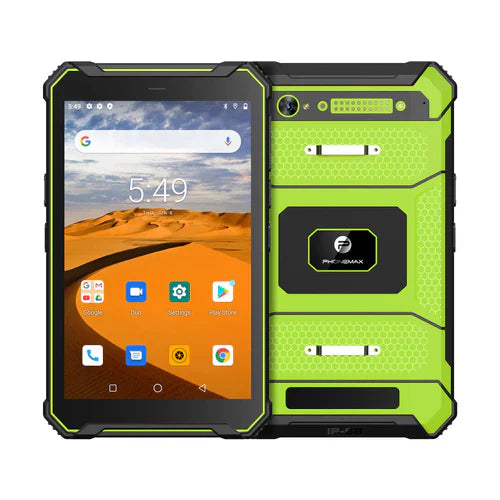
A 10.1-inch FHD rugged Android tablet offers more working area than an 8-inch device while remaining practical for mobile field work. The larger screen can make maps, inspection forms, dashboards, diagrams and split-screen applications easier to use, but buyers should evaluate more than resolution alone.
What FHD means on a rugged tablet
Full HD-class resolution can improve text, map and interface clarity on a 10.1-inch display. Resolution should be considered together with panel brightness, contrast, viewing angle, touch response and surface reflections. A sharp display that is difficult to see outdoors may still be unsuitable for field work.
Choose the screen for the actual environment
Indoor warehouse, workshop and vehicle use can have different display requirements from construction sites or outdoor inspections. If sunlight readability is important, compare sustained brightness and reflection control rather than relying only on the FHD label.
Verify rugged specifications
Ask for the exact model's ingress rating, drop-test conditions, operating-temperature range and connector protection. IP ratings, drop resistance and temperature tolerance are separate characteristics and should be checked independently. Do not assume every rugged tablet has the same protection level.
Android performance and software
Processor, RAM and storage should match the applications used by the team. Navigation, offline maps, scanning, camera capture and enterprise apps can create different workloads. Also confirm Android version, application compatibility, security-update policy, kiosk requirements and mobile-device-management support.
Battery and charging
A larger display can increase power demand. Real runtime depends on brightness, cellular signal, GNSS, Wi-Fi, camera use and processor load as well as battery capacity. Compare the expected shift workload with charging options such as USB-C, docks or vehicle charging.
Connectivity and field accessories
Check cellular bands, Wi-Fi, Bluetooth and GNSS for the exact configuration. Depending on the workflow, accessories may include hand straps, shoulder straps, docks, vehicle mounts, barcode scanners, NFC or programmable buttons.
Buying checklist
- Is FHD resolution useful for the apps workers actually use?
- Is the display readable in the expected lighting?
- Are rugged ratings documented for the exact model?
- Does Android support required apps and fleet policies?
- Are network bands suitable for deployment regions?
- Will the battery last through the target shift?
- Are required mounts, docks and peripherals available?
FAQ
Is FHD necessary on a 10.1-inch rugged tablet?
Not for every application, but it can improve readability for detailed maps, forms and multi-panel interfaces. The right choice depends on workload and power priorities.
Does FHD mean sunlight readable?
No. Resolution and outdoor readability are different characteristics. Brightness, reflections and contrast must be evaluated separately.
Browse rugged-device options or contact Phonemax for a specific deployment requirement.

Hinterlasse einen Kommentar
Alle Kommentare werden vor der Veröffentlichung geprüft.
Diese Website ist durch hCaptcha geschützt und es gelten die allgemeinen Geschäftsbedingungen und Datenschutzbestimmungen von hCaptcha.