
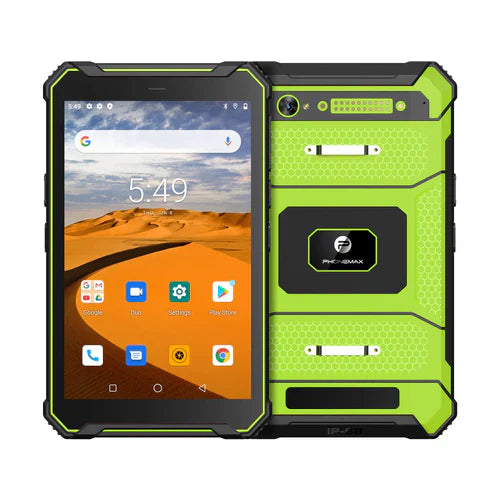
A 10-inch rugged Android tablet is useful when workers need more screen space than a phone or compact tablet while remaining mobile. Typical tasks can include inspection forms, warehouse applications, field service, maps, equipment records and technical documentation. The best device depends on the complete workflow rather than one headline specification.
Why choose the 10-inch form factor?
A 10-inch screen can make complex interfaces easier to read and operate, especially when users work with maps, tables or multiple information panels. The tradeoff is increased size and weight compared with smaller tablets, so carrying and mounting requirements should be considered early.
Display selection
Evaluate resolution, brightness, contrast, reflection control and touch behavior. Indoor industrial work and outdoor field work may require different display priorities. If sunlight readability matters, test the exact panel outdoors rather than relying on the screen size alone.
Ruggedness must be verified
Check the exact model's IP rating, drop conditions, operating-temperature range and connector design. These specifications describe different aspects of durability and should not be treated as interchangeable.
Android, RAM and storage
Match processor, memory and storage to the software workload. Navigation, barcode applications, offline maps, camera capture and multitasking can require different resources. Confirm Android version, application compatibility, security updates and MDM or kiosk needs.
Battery and charging
Runtime depends on display brightness, radios, GNSS, cameras, peripherals, software and temperature as well as battery capacity. Define the expected shift and make sure charging options match how the device will be used.
Wireless and positioning
Check cellular bands against target carriers, especially for international deployment. Also confirm Wi-Fi, Bluetooth and GNSS support for the exact configuration.
Accessories and deployment
Hand straps, shoulder straps, protective cases, docks, vehicle mounts, scanners or NFC can materially change usability. Test the complete system rather than the tablet alone.
Buying checklist
- Define the applications and work environment.
- Choose screen size and display characteristics for real tasks.
- Verify documented rugged specifications.
- Confirm Android and software lifecycle requirements.
- Check network bands, Wi-Fi and GNSS.
- Validate runtime and charging.
- Test required mounts and peripherals.
FAQ
Is a 10-inch rugged tablet better than an 8-inch model?
It offers more screen area, but an 8-inch model can be easier to carry. The right choice depends on application complexity and mobility needs.
Does “rugged” mean every tablet is waterproof?
No. Check the documented ingress rating and test conditions for the exact model.
See Phonemax rugged devices or contact us about a field deployment.

Hinterlasse einen Kommentar
Alle Kommentare werden vor der Veröffentlichung geprüft.
Diese Website ist durch hCaptcha geschützt und es gelten die allgemeinen Geschäftsbedingungen und Datenschutzbestimmungen von hCaptcha.