
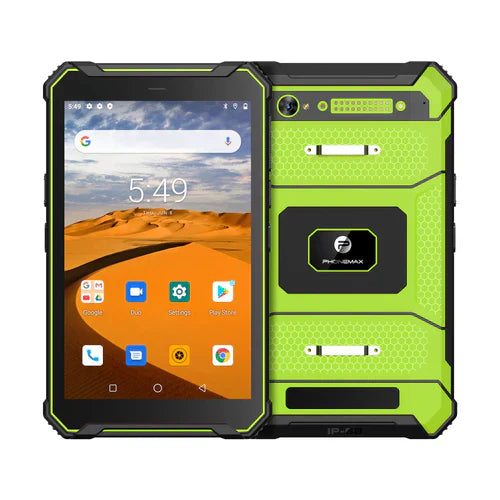
An OEM language requirement should cover the work screens the operator will actually use. A translated startup screen does not establish that the work app, validation messages, keyboard input and printed or exported output use the required language correctly.
Define the language acceptance route
| Operator touchpoint | Review question |
|---|---|
| Initial setup | Can the operator understand the approved setup path? |
| Work application | Are essential labels and actions available in the required language? |
| Validation or error | Can the worker understand how to continue? |
| Data entry | Can the required characters and values be entered correctly? |
| Delivered output | Do reports or documents preserve the intended content? |
Separate device language and application resources
Android's localization guidance describes app resources and locale-sensitive content. It does not establish that a particular app includes every language or that changing a system setting translates third-party work software.
Use the intended app version and a fluent reviewer. Follow a complete test job, including an ordinary error and the resulting output. Record untranslated or truncated text by screen and action rather than reporting the entire setup as translated from one successful page.
Identify the supplied software
The T1 lists Gray Android 16 and Green Android 10 versions. Keep the actual build and app language requirements in the brief. The OEM/ODM page describes selected software customization subject to project evaluation.
Send Phonemax the required languages and work-screen checklist. This is an acceptance plan; language availability, translation completeness, third-party localization and custom software feasibility remain to be confirmed.
Related guide: Farm Data Entry: Check Units and Decimal Formats.

Hinterlasse einen Kommentar
Alle Kommentare werden vor der Veröffentlichung geprüft.
Diese Website ist durch hCaptcha geschützt und es gelten die allgemeinen Geschäftsbedingungen und Datenschutzbestimmungen von hCaptcha.