
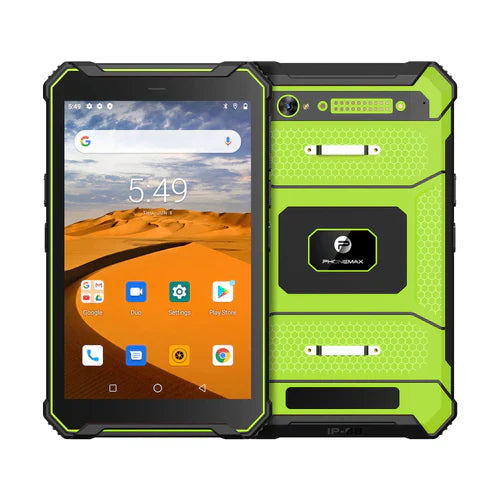
Evaluate a work dashboard with a representative large dataset and the actions operators must complete. A nearly empty demonstration screen can hide problems with filtering, scrolling, selecting an item or opening a detailed record.
Define a realistic test dataset
Ask the system owner for non-sensitive data with the ordinary range of row counts, text lengths and status values. Keep the same dataset and account role when comparing setups. Record which information the operator needs to see at once.
| Dashboard action | Acceptance observation |
|---|---|
| Load the assigned list | The correct scope and record count are shown |
| Search or filter | The expected items appear and active filters are clear |
| Scroll and select | The operator opens the intended row |
| Review detail | The record identity and required fields are readable |
| Return to the list | The worker can continue through the intended workflow |
Describe delays before assigning a cause
Record the exact action and visible result when a list stalls or opens the wrong item. Ask the system owner whether the view loads remotely or prepares data locally. A large table's behavior should not be attributed to RAM solely from an old “4GB tablet” title.
Use the offered device and software
The T1 listing distinguishes Gray Android 16/6GB RAM from Green Android 10/8GB RAM, both with 128GB storage. Keep that complete configuration, the app or browser version and the dataset reference in the result.
Discuss the proposed tablet version with Phonemax. Have the system owner set acceptable task completion and investigate failures. This is a workload-evaluation method, not a dashboard benchmark, maximum-row guarantee or confirmation of a 4GB model.
Related guide: Android Work Tablets: Check Web Forms Before Fleet Rollout.

Hinterlasse einen Kommentar
Alle Kommentare werden vor der Veröffentlichung geprüft.
Diese Website ist durch hCaptcha geschützt und es gelten die allgemeinen Geschäftsbedingungen und Datenschutzbestimmungen von hCaptcha.