
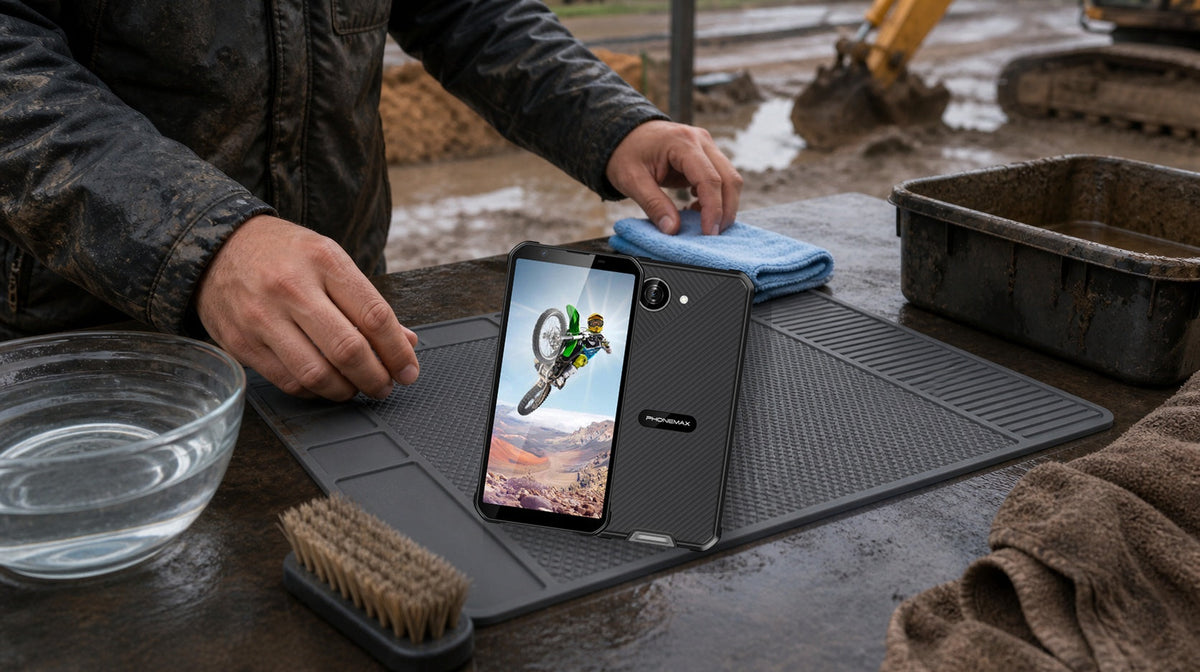
The safest way to clean a rugged phone is to power it down, disconnect all cables, remove loose debris before adding moisture, use only methods permitted by the manufacturer, and let the phone dry completely before charging.
“Rugged” does not mean that every chemical, water pressure, temperature or cleaning tool is safe.
Inspect before cleaning
Look for cracked glass, separated housing, loose port covers, missing seals, bent contacts, battery swelling, unusual heat, corrosion, trapped moisture or impact damage. If the enclosure is damaged, do not rely on its original water-resistance claim. Isolate the device and follow the repair procedure.
Shut down and disconnect
Turn the phone off and remove its charging cable, headset and accessories. Do not clean while connected to power. If the device feels hot, smells unusual, hisses or shows swelling, stop using it and follow the organization’s battery-safety procedure.
Remove dry dust first
Use a clean, dry microfiber cloth for the main surfaces. A soft, dry brush can loosen dust around buttons, speaker openings, camera edges, port-cover seams and housing joints. Hold openings downward so loosened debris can fall away.
Do not insert metal objects into a USB-C port or speaker. Compressed air can drive debris deeper or introduce pressure beyond the device’s intended conditions.
Treat mud as debris
Remove loose material gently. Do not grind sandy residue across the screen because mineral particles can scratch glass and coatings.
If manufacturer guidance permits controlled water cleaning, follow its stated temperature and pressure. Never substitute a pressure washer, steam cleaner or high-pressure hose merely because the product has an ingress-protection rating. IP testing uses defined laboratory conditions and does not cover every liquid, chemical, damaged seal or cleaning method.

Distinguish cleaning from disinfection
Cleaning removes dirt. Disinfection uses a suitable chemical process to reduce microorganisms. For shared devices, check the phone manufacturer’s instructions, the disinfectant label, material compatibility, contact time, opening restrictions and workplace requirements.
Do not mix chemicals or spray liquid directly into ports, microphones or speakers. Apply the permitted product to a cloth when instructions allow it, keeping the cloth damp rather than dripping. Repeated exposure can affect coatings, adhesives and plastics, so fleets should standardize one approved process.
Clean the charging port cautiously
- Disconnect power.
- Hold the port downward.
- Remove only loose, visible debris with an approved nonmetallic method.
- Do not scrape contacts.
- Do not add liquid unless explicitly permitted.
- Stop if contacts appear bent, burned or corroded.
If water or cleaning solution may be inside the port, do not charge simply because the outside feels dry.
Dry before reconnecting
Wipe away surface moisture and place the phone in a ventilated, room-temperature location. Avoid hair dryers, ovens, heaters, open flames, intense sunlight and loose absorbent material that can enter ports.
Confirm that covers, seams and the charging area are dry before reconnecting a cable. If the phone reports moisture or charging errors, follow the manufacturer’s troubleshooting procedure.
Build a fleet cleaning SOP
Define who cleans the phone, when cleaning is required, approved products, prohibited tools, drying criteria, damage escalation and any required record. Photograph recurring residue or corrosion patterns; they may reveal a problem linked to a site, chemical, storage method or charging station.
Final decision rule
Use the least aggressive method that removes the contamination. Manufacturer instructions take priority over assumptions based on the word “rugged” or an IP number. If the phone is damaged, unusually hot, swollen, corroded or unable to dry normally, remove it from service.


Hinterlasse einen Kommentar
Alle Kommentare werden vor der Veröffentlichung geprüft.
Diese Website ist durch hCaptcha geschützt und es gelten die allgemeinen Geschäftsbedingungen und Datenschutzbestimmungen von hCaptcha.