
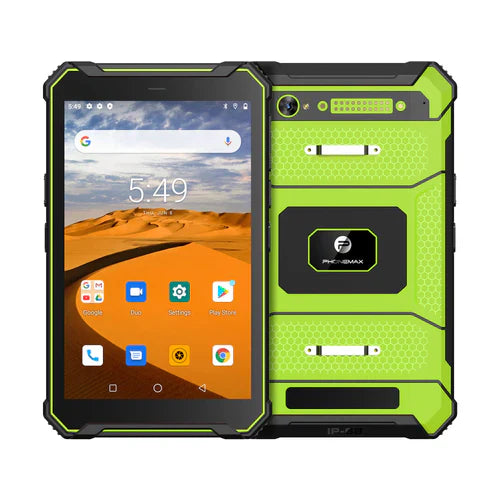
For construction teams, glove-touch acceptance should focus on completing the work-order form without missed or unintended entries. The current T1 information reviewed here does not document compatibility with the team's specific gloves; confirm that combination before rollout.
Start with the site's required PPE
Use the glove type required for the task and a safe, stationary evaluation area. Include the intended screen protector. Do not make removing required protective equipment the workaround for an unsuitable interface.
Evaluate the form, not just a home-screen tap
- Open the correct job and select an inspection item.
- Enter a quantity and choose a result from the smallest menu.
- Attach a photograph, correct an entry and submit the record.
- Check the saved values in the receiving system.
Record accidental selections and repeated touches. Where the app permits it, evaluate larger controls, fewer free-text fields and a confirmation step for consequential entries. Document the accepted layout so later form changes can be reviewed.
Keep hardware and workflow evidence together
Use the broader glove-touch field checklist for device setup. The T1 product listing provides current variants, while a representative worker trial determines whether the intended form is usable. This article does not report a completed glove test.


Hinterlasse einen Kommentar
Alle Kommentare werden vor der Veröffentlichung geprüft.
Diese Website ist durch hCaptcha geschützt und es gelten die allgemeinen Geschäftsbedingungen und Datenschutzbestimmungen von hCaptcha.