
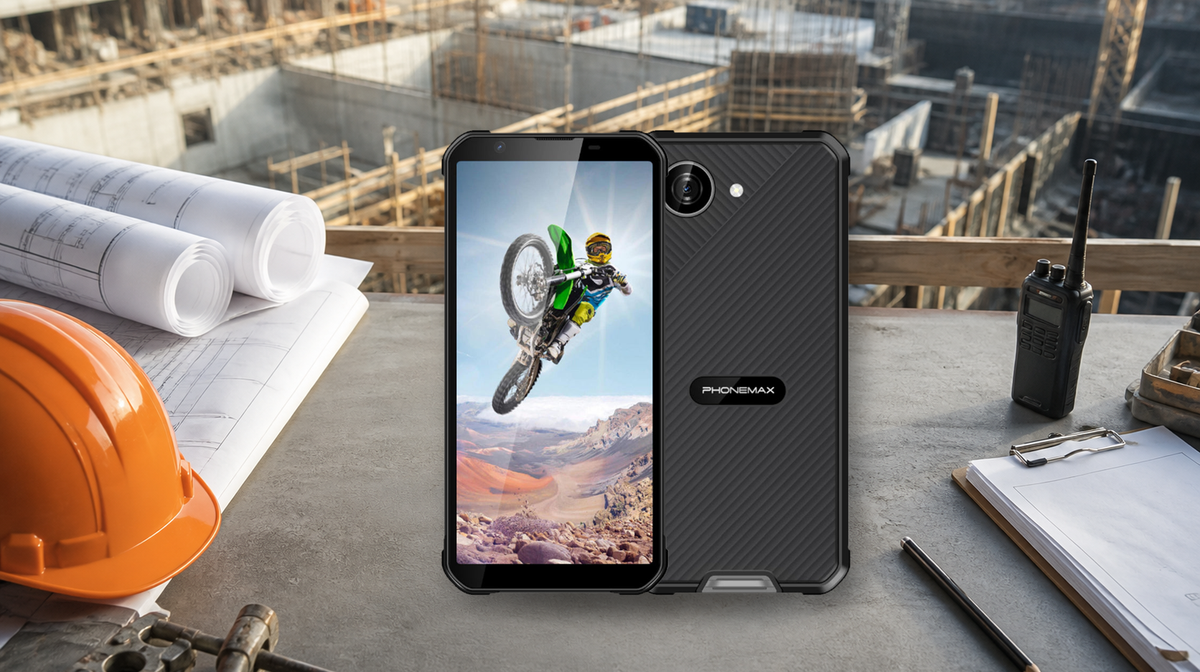
A rugged phone can reduce downtime when ordinary devices are frequently damaged or become unusable on site. It cannot guarantee productivity.
The business case depends on four tested outcomes: fewer device failures, reliable work applications, adequate shift power and a fast replacement or support process when a failure still occurs.
Disclosure: Phonemax manufactures the X5 used as a first-party example in this guide. No customer downtime study, return-on-investment dataset or independent X5 field trial is claimed.

Define Downtime Before Claiming Savings
“Downtime” is not one number.
For a construction site supervisor, downtime can include:
- The delay between a hazard report and acknowledgment
- An interrupted inspection
- A missed delivery call
- Lost access to drawings
- A failed photograph upload
- An unavailable work-management application
- The administrative delay of replacing a device
- Time spent restoring accounts or permissions
- Work postponed because a communication channel failed
A rugged phone addresses only part of that chain.
It may reduce interruptions caused by drops, dust, rain or other ordinary site exposure. It does not fix poor cellular coverage, a broken application, weak account provisioning, depleted batteries or an unclear escalation process.
A credible business case therefore separates device-related downtime from process-related downtime.
Without that separation, a procurement team can credit the hardware for improvements created by training, or blame the hardware for failures caused by software, connectivity or workflow design.
Where a Supervisor’s Phone Supports Continuity
A site supervisor’s phone can support four connected parts of the workflow: reporting, coordination, documentation and escalation.
Reporting
Supervisors may receive safety observations, delivery issues, requests for information, quality defects and subcontractor updates.
The device must let the supervisor:
- Open the correct form
- Identify the correct project
- Capture the necessary evidence
- Add a short description
- Assign the issue to the correct person
- Confirm that the report was saved or submitted
A durable enclosure provides little value if the reporting application is slow, incompatible or difficult to use in the field.
Coordination
Calls, group messaging, work-management applications and radio systems may coexist on a construction site.
Test:
- Call reliability
- Speaker and microphone performance
- Notification delivery
- Contact access
- Messaging behavior
- Network recovery
- Application synchronization
Testing should take place under representative background noise and signal conditions.
A large speaker listed for one device variant should not be treated as a substitute for a measured intelligibility test. The supervisor must be able to hear and be heard in the intended working environment.
Documentation
Photographs must be in focus, time-aligned and associated with the correct project or record.
Drawings, inspection forms and checklists must remain accessible under the company’s document-control policy.
Offline access may help during coverage gaps, but it also creates questions:
- Which version of the drawing is stored?
- When was it last synchronized?
- Can an outdated copy be mistaken for the current version?
- What happens when two offline records conflict?
- Is sensitive project information protected if the phone is lost?
The device should support the documentation process without weakening version control or security.
Escalation
The phone should make the next step obvious when an issue is urgent:
- Who should be called?
- Which system should be updated?
- What information must be included?
- Which backup channel should be used?
- What happens if the primary application is unavailable?
Device resilience is valuable only if the escalation process itself is defined.
A rugged phone should support the emergency and reporting plan. It should not replace required radios, alarms or dedicated safety systems.
Three Device Risks to Quantify
Physical Failure
Construction is a high-hazard industry that can involve falls, struck-by hazards, machinery, electrical exposure, dust, water and repeated equipment handling.
A phone is not personal protective equipment. However, its enclosure may affect whether it remains usable after ordinary site exposure.
Record the actual failure modes found in the existing fleet:
- Cracked screens
- Damaged charging ports
- Water ingress
- Broken cases
- Failed buttons
- Damaged cameras
- Lost devices
- Repeated connector or cable failures
Do not assume that all failures can be solved by choosing a rugged phone. A protective case, tether, storage procedure or charging-policy change might address some problems at a lower cost.
For more detail, see What Breaks First in Smartphones Used in Harsh Work Environments.
Power Failure
Battery problems include more than battery capacity.
High screen brightness, camera uploads, poor cellular signal, navigation, heat and background synchronization can shorten runtime.
Measure the battery reserve at the end of a representative shift. Include:
- Normal screen brightness
- Typical call volume
- Photography and uploads
- Navigation use
- Work-application synchronization
- Bluetooth accessories
- Weak-signal periods
- Expected environmental temperature
The test should also account for charging opportunities, vehicle-power policy and spare-device availability.
A device that lasts through an ideal office test may not last through a field shift with high brightness and weak cellular service.
Connectivity or Access Failure
A phone may be physically intact yet unavailable because it cannot connect, authenticate or open the required application.
NIST mobile-device guidance treats workplace mobile access as part of enterprise security rather than a standalone hardware decision.
Procurement should test:
- Mobile-device-management compatibility
- Account provisioning
- Password and authentication recovery
- Remote lock and wipe
- Operating-system updates
- Application permissions
- Certificate installation
- Offline access
- Recovery after a network interruption
A rugged enclosure does not compensate for an unsupported application or a failed authentication process.
Phonemax X5 as a First-Party Example
The current Phonemax X5 product page lists:
- A 5.3-inch display
- Android 16
- A 5000mAh battery
- IP68/IP69K water- and dust-resistance positioning
- Multiple hardware and regional configurations
The product is relevant when a team wants to evaluate a relatively compact rugged phone rather than an oversized field device.
Variant details matter.
The T615 Full-Band version is listed with a large speaker and fingerprint unlock. The G81 Europe & Asia version uses a standard speaker and does not include fingerprint unlock.
Network support depends on the selected variant and carrier bands. A test completed with one variant should not automatically be treated as evidence for another.
These published facts justify evaluating the X5. They do not prove that it will reduce downtime in every construction workflow.
No verified customer dataset is available that isolates X5-related downtime reduction, replacement-rate improvement or return on investment. For that reason, this guide does not publish a savings percentage, productivity figure or customer case-study claim.
The X5 is presented as a candidate for a controlled workplace pilot.
For broader device-selection criteria, see the Phonemax Rugged Phone Buying Guide 2026.
A 30-Day Pilot That Can Support a Real Decision
Establish the Baseline
Before introducing the candidate rugged phone, record the current device interruptions.
For each event, capture:
- Date and shift
- Site
- Device model
- Affected role
- Failure category
- Work task interrupted
- Duration
- Recovery action
- Whether a spare was available
Separate physical damage, battery, network, authentication, application and user-training causes.
A baseline is essential because a lower number of incidents during the pilot does not necessarily prove a hardware improvement. Workload, weather, staffing or site conditions may also have changed.
Configure the Pilot
Select the exact rugged-phone variant.
Apply the same:
- Security settings
- Mobile-device-management policy
- Applications
- Permissions
- Accounts
- Cases or tethers
- Update policy
- Charging rules
Train users on safe handling, reporting and escalation.
Keep the existing fallback communication channel during the pilot. A test should not remove a required backup before the new workflow is proven.
Measure Comparable Work
Use the pilot on representative shifts and sites.
Record the same event categories used during the baseline. Compare similar roles, workloads and conditions where practical.
Do not compare a carefully configured and well-supported pilot with an unmanaged historical fleet without disclosing the support difference.
Improved account setup, training or spare-device availability may reduce downtime even when the hardware itself is unchanged.
Decide With Stopping Rules
Stop or redesign the rollout if:
- An essential application is incompatible.
- Cellular coverage remains unresolved.
- Device management fails.
- Account recovery is unreliable.
- Battery reserve is inadequate.
- Field reports are lost or duplicated.
- Workers must bypass safety procedures.
- Replacement and provisioning remain too slow.
Stopping a pilot is useful evidence. It prevents a fleet-wide deployment from repeating a smaller test failure.
Pilot Measurement Worksheet
Use the same definitions during the baseline and pilot periods.
Record events at shift level so that a change in workload or staffing does not look like a hardware improvement.
| Metric | Operational definition | Calculation | Evidence to retain |
|---|---|---|---|
| Device-interruption rate | Shifts containing at least one interruption caused by the device | Device-interrupted shifts ÷ total observed shifts | Dated shift log and cause code |
| Lost minutes per shift | Minutes when the supervisor could not complete a required mobile task | Total verified lost minutes ÷ observed shifts | Incident timestamps and recovery record |
| Critical-workflow completion | Required reports, uploads or approvals completed on the intended device | Completed workflows ÷ attempted workflows | Application audit log or supervisor checklist |
| End-of-shift power reserve | Remaining battery after a representative configured shift | Median and range, not one best result | Screenshot or device-management record at shift end |
| Recovery time | Time from a device failure report to a working replacement | Restored-service time minus failure-report time | Help-desk ticket and provisioning log |
| Repeat failure rate | Recurrence of the same failure category after corrective action | Repeated events ÷ events in that category | Cause, corrective action and recurrence field |
Do not combine these measures into one impressive-looking percentage unless the weighting rule was defined before the pilot.
A reduction in cracked screens cannot cancel a rise in failed uploads if both interrupt critical work.
Minimum Evidence Package for a Rollout Decision
A procurement recommendation should preserve:
- Exact device variant
- Operating-system version
- Application versions
- Site and carrier
- Observation dates
- Number of shifts
- Failure cause codes
- Device-management configuration
- Charging plan
- Spare-device process
- Fallback communication method
- Both successful and failed results
The decision should answer three separate questions:
- Did physical-device interruptions decline?
- Did the complete supervisor workflow remain usable?
- Did recovery become faster when a failure still occurred?
A “yes” to only one question supports further testing, not an automatic fleet rollout.
Construction Rugged Phone Decision Table
| Finding | Interpretation | Decision |
|---|---|---|
| Frequent damage-related interruptions decline | Rugged hardware may be solving the target risk | Expand the pilot cautiously |
| Damage declines but application failures rise | Hardware improved, but the workflow did not | Fix the application or configuration first |
| End-of-shift battery reserve is inadequate | Capacity or workload mismatch | Adjust the power plan or test another device |
| Coverage blocks critical updates | Network issue rather than ruggedness issue | Change the carrier, site workflow or backup method |
| Replacement time remains long | Support process dominates downtime | Improve spares and provisioning |
| Authentication failures interrupt work | Access-management issue | Fix provisioning and recovery before rollout |
| Reports are lost after offline use | Synchronization process is unreliable | Stop deployment and correct the workflow |
| No meaningful baseline difference appears | Rugged hardware may not solve a major current problem | Reconsider the purchase case |
A TCO Model Without Invented Numbers
Use the following structure:
Three-year device cost + accessories + licenses + deployment labor + repairs + replacements + support labor + measured downtime cost
Compare that total with the same scope for the current device.
Use a range for uncertain downtime cost instead of presenting one confident number.
The model should include:
- Device purchase cost
- Protective accessories
- Tethers or mounts
- Mobile-device-management licenses
- Setup and training labor
- Repair and replacement cost
- Shipping and support
- Spare-device inventory
- Provisioning time
- Disposal cost or residual value
- Measured interruption cost
A lower purchase price can still become expensive if replacement and provisioning repeatedly interrupt supervision.
A rugged phone can also be a poor investment when damage is rare and software fit is weak.
The comparison should isolate what changed. If the pilot also introduces better training, new applications or a faster support process, do not attribute the entire improvement to the phone.
For help deciding whether the device or an accessory is the better response, see Rugged Phone vs Protective Case: Which Do You Need?.
FAQ
Does a Rugged Phone Automatically Reduce Construction Downtime?
No. It can reduce some interruptions caused by physical device failure, but applications, connectivity, power, account access and support must also work.
What Should a Site Supervisor Test First?
Test the complete workflow: report, coordinate, document and escalate. A device that survives rough handling but fails the required work application is not ready.
Is IP69K Proof That a Phone Will Survive Every Site Condition?
No. Ratings apply to defined tests. Wear, damage, chemicals, salt, heat and poor maintenance can change protection.
How Many Devices Should a Pilot Include?
Use enough devices and shifts to represent the target work. There is no universal minimum that fits every construction company.
Document the sites, users, exposure, workload and comparison period so that the result can be interpreted correctly.
What Evidence Is Needed for an ROI Claim?
An ROI claim requires traceable baseline and pilot data, consistent definitions, comparable workloads, verified costs and disclosed assumptions.
Until those inputs exist, the article should make no ROI claim.
Should a Company Replace Its Entire Fleet After One Successful Pilot?
No. A limited pilot may not represent every site, carrier, shift, climate or role. Expand in stages and continue monitoring the same failure categories.
Can a Rugged Phone Replace a Radio?
Not automatically. Maintain any communication equipment required by company policy, emergency planning or site conditions.
What Happens if Damage Declines but Application Failures Increase?
That means the enclosure may be addressing one problem while the overall workflow remains unreliable. Correct the application, configuration or device-management issue before expanding deployment.
Sources
- OSHA Construction Industry — construction safety context and industry hazards.
- OSHA Construction Compliance Quick Start — construction compliance and safety-management guidance.
- NIST Mobile Device Security: Corporate-Owned Personally Enabled — enterprise mobile-device deployment and security guidance.
- NIST Mobile Device Security: Bring Your Own Device — mobile access, management and security considerations.
- Phonemax X5 product page — first-party display, operating system, battery, protection and variant information.


Hinterlasse einen Kommentar
Alle Kommentare werden vor der Veröffentlichung geprüft.
Diese Website ist durch hCaptcha geschützt und es gelten die allgemeinen Geschäftsbedingungen und Datenschutzbestimmungen von hCaptcha.