
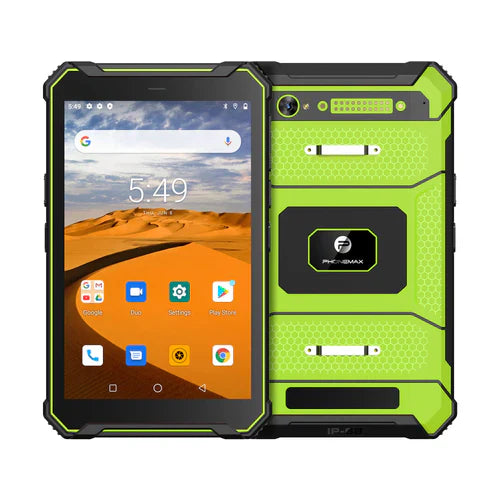
If an Android work tablet uses an approved dock, assess what happens when it sleeps, wakes and reconnects to the required peripherals. A successful first connection does not document recovery throughout a shift.
List the states that matter
| State change | What to assess |
|---|---|
| Tablet wakes while docked | Whether the work app and required input devices are ready |
| Tablet is removed and returned | Whether the approved peripherals reconnect correctly |
| User session ends | Whether the next authorized session starts as intended |
| Approved dock power is interrupted | Whether the app shows a clear, recoverable state |
| A peripheral is unavailable | Whether staff can identify the missing function and follow the exception procedure |
Use the supplier’s approved connection sequence and the app’s test environment. Do not interrupt power during an update or a critical write to manufacture a failure. Have the equipment and application owners define a controlled assessment that cannot affect production records.
Keep the result tied to the configuration
Record the tablet, Android version, dock model, peripherals, power equipment, app version and relevant settings. After each agreed state change, check the task that matters: a keyboard entry in the right field, a file in the correct destination or another explicitly required function. Include an observable completion check rather than accepting a connection icon alone.
The T1 listing distinguishes Gray Android 16 and Green Android 10. Recovery behavior evaluated on one version should not be presented as a result for the other. The listing does not confirm a specific dock or peripheral combination; no compatibility test is reported here.
For the physical and electrical proposal, use the dock interface guide. Send Phonemax the intended pairing before preparing a sample evaluation.


השארת תגובה
כל התגובות מבוקרות לפני פרסומן.
This site is protected by hCaptcha and the hCaptcha Privacy Policy and Terms of Service apply.