
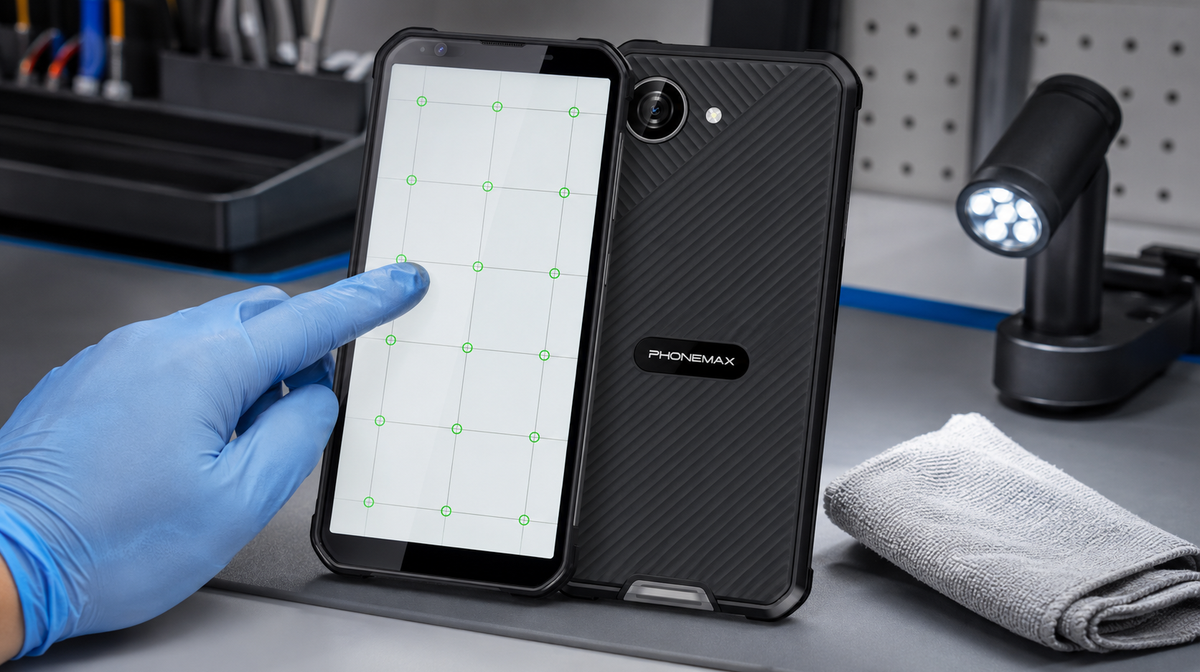
A rugged-phone touchscreen usually needs repair when the same dead zone, ghost input or intermittent connection remains after the screen is dry, the protector and case are removed, the phone is restarted and the problem is reproduced across multiple apps. Visible glass, frame or battery damage is an immediate stop condition.
Start with safety, not settings
Stop using the phone if the display is lifting, the body is swollen, the glass is sharply broken, liquid is visible inside the camera area, or the device becomes unusually hot. Do not press a separating screen back into place. Power down and arrange qualified inspection.
| Symptom | Likely first check | Repair signal |
|---|---|---|
| Missed touches everywhere | Dry screen; remove protector; restart | Same grid cells fail in safe mode |
| Ghost touches after rain | Dry hands, ports and display | Continues when completely dry |
| Problem in one app | Update, reinstall, test another app | System screens also fail |
| Failure after impact | Inspect frame and glass | Crack, separation or expanding dead zone |
| Slow response while charging | Disconnect charger and compare | Persists with known-good power removed |
A reproducible 15-minute diagnostic
- Back up essential data. Photograph any physical damage.
- Disconnect the charger and Bluetooth accessories. Dry the phone fully.
- Remove the case and protector. Restart the phone, following the manufacturer’s instructions.
- Open a white drawing canvas and trace lines across the complete display in both directions. Save the result.
- Test keyboard input, edge gestures and rotation in two unrelated apps.
- If supported, test in safe mode. Google notes that safe mode temporarily disables downloaded apps, helping distinguish software from device behavior.
A repeatable failure in the same physical area across modes is stronger hardware evidence than “the screen sometimes feels slow.” Record software version, temperature, moisture, charger state and exact location of the fault before contacting service.
Phonemax X5 boundaries
The X5 product page lists a 5.3-inch display and IP68-rated protection under specified laboratory conditions. IP68 does not mean touch input will behave normally with every type of water, glove or contamination, and it does not make a damaged device safe to charge. The page does not publish a touch-latency or glove-performance specification.
Repair, monitor or keep using?
Keep using only when the issue disappears after cleaning, accessory removal or app isolation and does not return. Monitor an isolated software issue after an update. Arrange repair when the fault survives the controlled test, affects emergency actions, expands over time or follows structural impact. Fleet teams should attach the test record to the service ticket so the failure can be reproduced.
Frequently asked questions
Can water on the screen cause ghost touches?
Yes. Moisture can create unintended input even when the enclosure is water resistant. Dry the display and hands before diagnosing hardware.
Should I factory-reset immediately?
No. Back up first and use reversible tests—restart, remove accessories, test safe mode and compare apps—before a reset.
What if only one app has the problem?
That points toward app behavior or compatibility rather than the panel. Update or reinstall the app and compare with a basic system screen.
When is repair the safer choice?
Seek service when dead zones persist across apps after restart and accessory removal, the glass or frame is damaged, the device overheats, or the screen separates from the body.
Sources and verification links
Editorial method
Prepared by the Phonemax Editorial Team on 22 August 2026. We checked the current product listing, separated published specifications from field-test requirements, and linked primary sources beside the claims they support. To request a correction, contact Phonemax through the official website.


השארת תגובה
כל התגובות מבוקרות לפני פרסומן.
This site is protected by hCaptcha and the hCaptcha Privacy Policy and Terms of Service apply.