
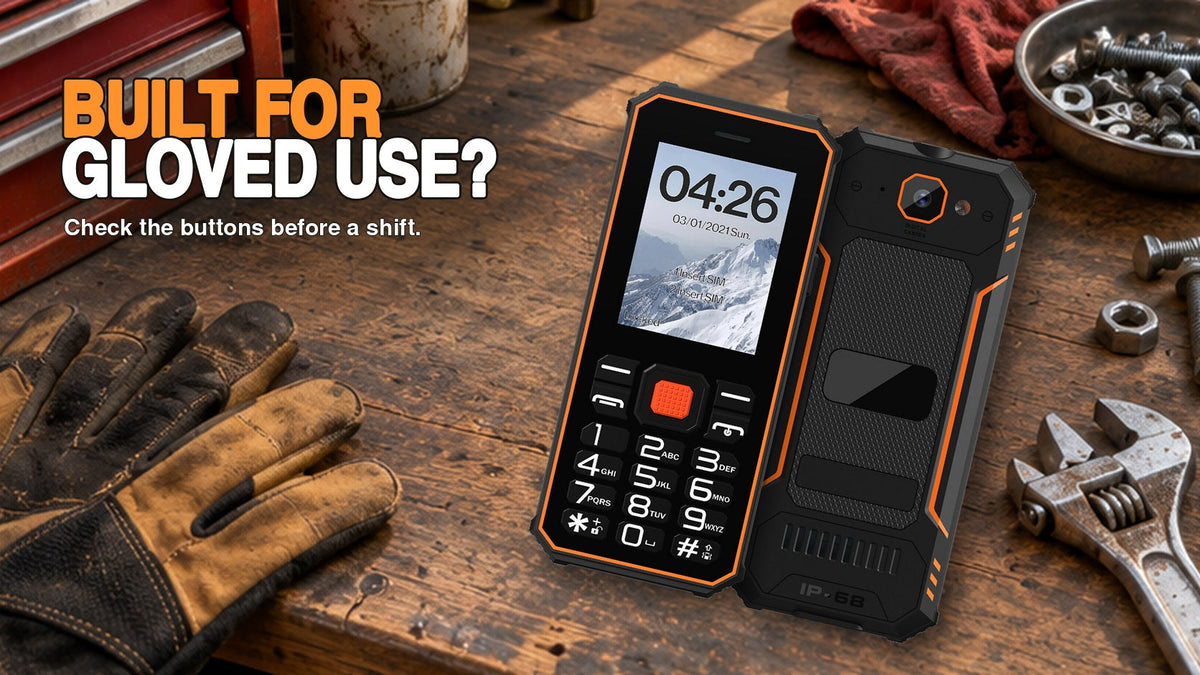
The F2’s physical keypad suits people who prefer pressing distinct number keys. A work pouch should keep pressure off those keys and retain the phone when you bend. Check the lock procedure for your exact version before relying on it to prevent accidental dialing.
Choose the pocket by how it presses the keys
Use the exact version instructions to find the keypad lock. A suitable setup lets you retrieve, answer and put the phone away without an unintended action.
This guide addresses accidental input during carrying. It makes no claim about a drop height, a particular glove or an automatic locking feature on every F2 version.
Find the normal lock procedure first
Use the instructions for the supplied F2 configuration. Identify how to lock and unlock the keypad, how the phone signals its locked state and what happens during an incoming call. If the route is unclear, request the correct instructions from Phonemax rather than guessing a key combination.
The F2 listing describes physical-key controls. That tells you the input format; it does not describe the pressure exerted by your clothing or tools.
Compare realistic carrying positions
Start with an empty, clean pocket. Lock the keypad, carry the phone, sit down, stand and retrieve it. Repeat with the normal pouch or belt position. Perform the trial away from moving equipment and keep hard tools separate from the screen.
| Position | Check | Reason to change it |
|---|---|---|
| Trouser pocket | Screen and keys after sitting | Unwanted actions or uncomfortable pressure |
| Jacket pocket | Retention when bending | Phone can slide out |
| Work pouch | Closure, retrieval and covered keys | Closure presses controls or blocks access |
Test a call without removing the lock permanently
Have a consenting person call from an ordinary number. Answer, end the call and check the resulting lock state. Then deliberately make one normal call. Record which steps require attention and whether the phone returns to a suitable carrying state.
If accidental calls occur, stop the trial and inspect the cause. Do not solve an awkward unlock procedure by leaving the phone permanently unlocked in a tight pocket. Try another carrying position or an instruction change, then repeat.
Keep a useful result
Record the exact phone version, pouch model, clothing and observed action. “Works in the blue jacket pocket” is a narrower, more useful finding than “pocket safe.” Recheck when the pouch, work clothing or phone configuration changes.
Ask Phonemax for the supplied-version keypad instructions if the locking behavior remains unclear. Include a photo of the displayed screen without exposing personal numbers.
Reject a pouch that presses the keypad
Try the pouch with the keypad facing each safe direction the pouch allows. Compare sitting, bending and retrieval, then examine the screen and call history for unwanted input. A closure that presses the keys or prevents normal retrieval is a reason to change pouches even if the lock works.
Related guidance: F2 Rugged Keypad: Input and Protection Checklist | Phonemax.
By Phonemax. Updated November 18, 2026.

Leave a comment
All comments are moderated before being published.
This site is protected by hCaptcha and the hCaptcha Privacy Policy and Terms of Service apply.