
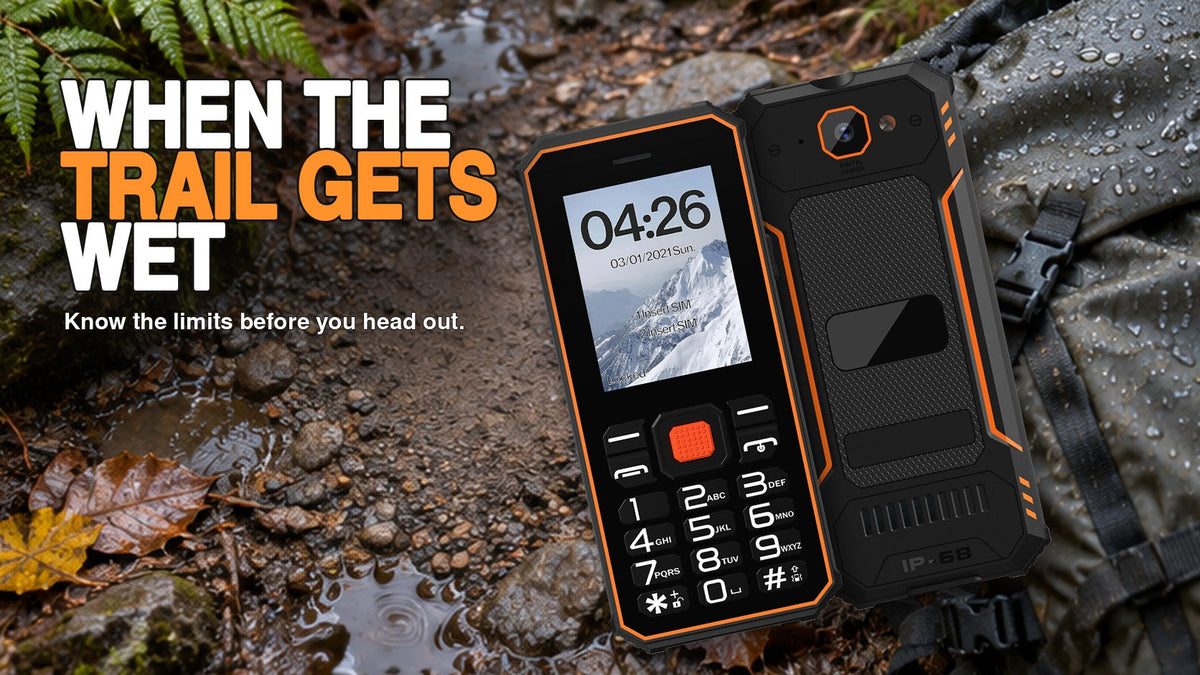
The F2 is listed with IP68 protection. Follow the exposure conditions for your exact version, particularly if the enclosure or a cover has been damaged. If the phone comes indoors wet, keep it disconnected and check its condition before returning it to the charger.
What to do when the F2 comes indoors wet
A damp exterior, a visibly wet connector and a cracked enclosure call for different responses. Where damage or persistent moisture is visible, seek support before reconnecting. Record the type of liquid and whether a cover was open.
Decide where wet equipment stops
Provide a dry place to set the phone down when returning indoors. Keep the charger and cable there rather than beside a wet coat or workbench. Avoid treating a quick exterior wipe as confirmation that connectors are dry.
The official F2 page lists IP68 protection and warns against charging or connecting accessories while wet. The rating does not supply permission for every liquid, temperature or cleaning method.
Inspect before reconnecting
- Disconnect the phone from accessories if it can be done safely and stop charging.
- Check the enclosure and applicable covers for cracks, displacement or visible contamination.
- Follow the supplied cleaning and drying instructions for the exposure that occurred.
- Reconnect only when the device and connectors meet those instructions and show no abnormal condition.
Do not use a charger to check whether a questionable phone still works. Heat, swelling, an unusual smell or visible damage calls for stopping use and obtaining appropriate support. Do not open the device merely to inspect internal moisture.
Record the liquid and the condition
A useful support note says what the phone encountered, for approximately how long, whether covers were closed and what happened afterward. Distinguish rain from salt water, cleaning solution or an unknown liquid. Avoid inventing a depth or duration when nobody observed it.
Photograph the exterior only where safe and permitted. Keep the model, version and order reference with the note. The condition history helps support choose the next action; it does not by itself determine warranty coverage.
Make the routine repeatable
Put a short instruction near the charging point: inspect, follow care instructions, confirm dry, then connect. Assign a person to hold damaged devices out of use. Do not turn that instruction into a fixed drying time that the manufacturer has not specified.
For planned water exposure, ask Phonemax for the applicable F2 test conditions and care instructions before purchase. If the conditions cannot be confirmed, keep the phone protected from that exposure rather than conducting an improvised immersion trial.
Decide what to do after exposure
For a damp exterior with no visible damage, keep the phone disconnected and follow the supplied care instructions before charging. If a connector is visibly wet or a cover is displaced, stop and resolve that condition first. If the liquid was salt water or a cleaning solution, report it explicitly rather than assuming freshwater care instructions apply.
Related guidance: F2 Outdoor Water Exposure: Version and Workflow Guide | Phonemax.
By Phonemax. Updated November 18, 2026.

Leave a comment
All comments are moderated before being published.
This site is protected by hCaptcha and the hCaptcha Privacy Policy and Terms of Service apply.