
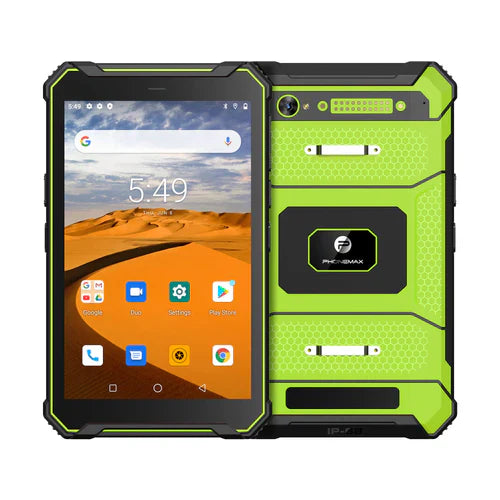
For remote assistance, judge whether the helper can see and hear what is needed to guide the task. A front-camera megapixel requirement is only one specification question. It does not settle framing, audio, orientation or what the recipient actually receives through the chosen app.
Define the helper's task
Choose a harmless demonstration with a clear outcome, such as explaining a labelled test component. Decide whether the worker needs to show their face, the work area or both. Ask the app owner which camera-switching and audio arrangements are supported.
| Remote-assistance step | What the receiving helper should assess |
|---|---|
| Join the session | The intended worker and helper reach the correct session |
| Frame the subject | The needed object or person is visible in the intended orientation |
| Explain an action | Both sides can understand the spoken instruction |
| Change camera if supported | The helper sees the intended view without losing the task |
| Confirm the outcome | The helper can verify the agreed demonstration result |
Keep camera specifications separate
The N1 listing identifies a 32MP rear camera. That does not establish a 5MP front camera or the streamed resolution of a call. Ask for the camera-by-camera specification of the offered version; compare the T1 for general field-work requirements.
Record the app, device build, connection conditions and the helper's observations. Use a safe work setting and non-sensitive content; do not conduct remote-assistance trials while driving or performing a hazardous task.
Discuss the required tablet configuration with Phonemax. This is an evaluation scenario, not a measured call-quality result, camera-resolution confirmation or remote-assistance compatibility approval.
Related guide: 4G Field Tablets: Test the Work App Through the Approved VPN.

Laisser un commentaire
Tous les commentaires sont modérés avant d'être publiés.
Ce site est protégé par hCaptcha, et la Politique de confidentialité et les Conditions de service de hCaptcha s’appliquent.