
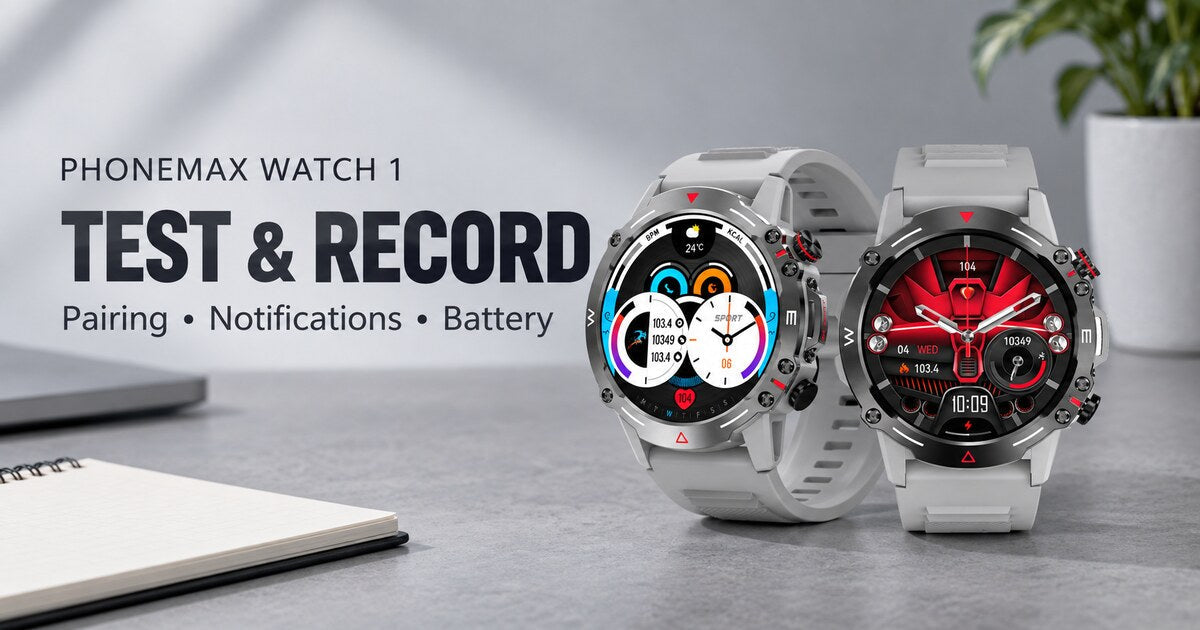
A useful Phonemax Watch 1 test log records the exact watch-and-phone combination, the test conditions, the expected behaviour, the observed result and the retest. Use separate entries for pairing, notifications, music and battery use. The blank templates below help you make a buying or setup decision without turning a short demonstration into a performance claim.
Identify the device and the question
Start with a practical question such as “Will incoming-call notifications reach this watch while my phone is in my normal bag?” Choose the conditions that matter to that question. A broad statement that a watch “works well” will be difficult to check later.
The Watch 1 product page lists Bluetooth 5.2, local music, a compass, heart-rate and sleep monitoring. Its current detail artwork states a 410mAh battery. Capacity is therefore available; it should not be labelled unpublished. A capacity figure still does not establish active-use runtime under your settings.

| Field | Your entry |
|---|---|
| Watch identifier and firmware | ____ |
| Phone model and OS version | ____ |
| Companion app name and version | ____ |
| Date, tester and purpose | ____ |
| Notification and power-saving settings | ____ |
| Normal phone position and environment | ____ |
| Acceptance rule chosen before testing | ____ |
Install or verify the companion app using the link on the product page and check its current requirements. Record the actual app name and version on your phone. Do not copy a guessed app name or compatibility list from a generic smartwatch guide.
Test pairing and recovery
Pair using the supplied instructions. Check whether the app can exchange fresh information with the watch, rather than relying only on a Bluetooth icon. Record what happens after a normal phone restart and after leaving and returning to the usual connection area. Note any action needed to restore service.
Repeat only the conditions relevant to your use. If a phone or app update occurs during the evaluation, mark it as a change in the setup and retest; do not combine before-and-after results as if nothing changed.
Bluetooth SIG explains that effective range depends on the implementation and environment. Record distance, walls and carry position instead of assuming “Bluetooth 5.2” guarantees a fixed usable distance.
Measure notifications without inventing results
Use agreed test calls or messages from a consenting colleague. Separate failure of the phone to receive a message from failure of the watch to display its notification. Record the time the event appears on the phone and on the watch, and note whether the phone was locked.
| Trial and condition | Expected behaviour | Observed result | Retest |
|---|---|---|---|
| ____ / phone unlocked nearby | ____ | ____ | ____ |
| ____ / phone locked in usual pocket or bag | ____ | ____ | ____ |
| ____ / after a normal restart | ____ | ____ | ____ |
| ____ / after reconnection | ____ | ____ | ____ |
You can calculate delivery rate = delivered notifications ÷ attempted notifications × 100%. Keep the attempt count beside the percentage, and state the deadline used to count delivery. This is a description of your sample, not a reliability guarantee. All cells above are deliberately blank; no outcome has been measured for this article.
Keep battery conditions comparable
Record start time, start percentage, finish time, finish percentage, music duration, display settings and any charging. Avoid comparing a music-heavy day with an idle day and calling the difference a battery fault.
| Period | Battery start / end | Usage and settings | Charging or interruptions |
|---|---|---|---|
| ____ | ____ / ____ | ____ | ____ |
| ____ | ____ / ____ | ____ | ____ |
| ____ | ____ / ____ | ____ | ____ |
For a period without charging, subtract the ending percentage from the starting percentage to report percentage points used. Do not extrapolate a few minutes of drain into a precise multi-day endurance claim. If the goal is to cover a particular day, test that complete routine and keep the results tied to it.
Check music and everyday features separately
For local music, record the file format, transfer method and whether playback works in the intended arrangement. If listening away from the phone is your goal, test that condition explicitly. For the compass, record the surroundings and whether the result changes when moved away from metal objects; do not present a casual comparison as calibration.
Personal heart-rate or sleep readings may be logged for everyday wellness reference. The product page states that they are not intended for medical diagnosis, treatment or emergency monitoring. This device-evaluation template does not require identifiable health readings, and it cannot validate sensor accuracy.
Write a decision that matches the evidence
Use: “On phone ____ with app version ____, the required task ____ passed/failed the predefined rule ____ under conditions ____.” Add unresolved problems and the next check. Keep results for different phones or firmware versions separate.
For help choosing what to test first, see Watch 1 use cases.
FAQ
What is the Watch 1 battery capacity? Current official product-detail artwork states 410mAh. Actual runtime depends on the workload and settings.
How long should testing run? Long enough to cover the intended routine and repeat the conditions that matter. There is no validated minimum duration claimed in this guide.
Does this article contain actual Watch 1 test results? No. It supplies a method and blank logs for your own observations.
Can I keep personal wellness readings? Yes, for everyday wellness reference within the product's stated limits. Recording a value does not make it a clinical measurement.
Sources and publisher disclosure
Phonemax publishes this guide and sells Watch 1. Product facts and wellness limits come from the Watch 1 listing and artwork, checked 7 September 2026. Bluetooth SIG supplies general connection-range context; it did not test or endorse Watch 1. These logs are Phonemax-authored templates, with no claimed independent trial or sensor validation. The hero uses official product images in an illustrative setting.

Laisser un commentaire
Tous les commentaires sont modérés avant d'être publiés.
Ce site est protégé par hCaptcha, et la Politique de confidentialité et les Conditions de service de hCaptcha s’appliquent.