
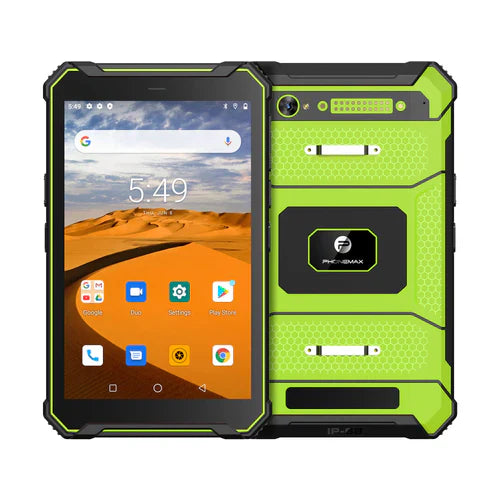
Before relying on camera barcode scanning offline, check that the reader component is available on a newly prepared tablet. Testing a device that already downloaded its software dependencies can miss a first-use requirement.
Separate capture readiness from business access
| Layer | Acceptance question |
|---|---|
| Reader component | Is the required software installed and ready before disconnection? |
| Local decode | Can the approved app return the known sample value? |
| Item lookup | Is the required test master data locally available? |
| Submission | What stays pending, and how is later completion confirmed? |
ML Kit's Android guide distinguishes bundled and dynamically downloaded reader models. For that implementation, requests before a needed download finishes can return no results. Confirm which implementation your app actually uses rather than assuming all camera scanners behave this way.
Rehearse deployment preparation
Have the app owner provide an approved fresh-install test method. Complete the documented preparation, disconnect the test device through the agreed procedure and scan harmless samples. Record component readiness, decoded value, lookup result and pending transaction separately. Do not clear production data merely to reproduce a fresh installation.
The T1 listing separates Gray Android 16/6GB/128GB from Green Android 10/8GB/128GB and lists no Honeywell scanner. Neither version is verified here with ML Kit or your offline application.
No offline scanning test is reported. Pair this preparation with download completion checks. Send Phonemax the intended software and offline task.


Zostaw komentarz
Wszystkie komentarze są moderowane przed opublikowaniem.
Ta strona jest chroniona przez hCaptcha i obowiązują na niej Polityka prywatności i Warunki korzystania z usługi serwisu hCaptcha.