
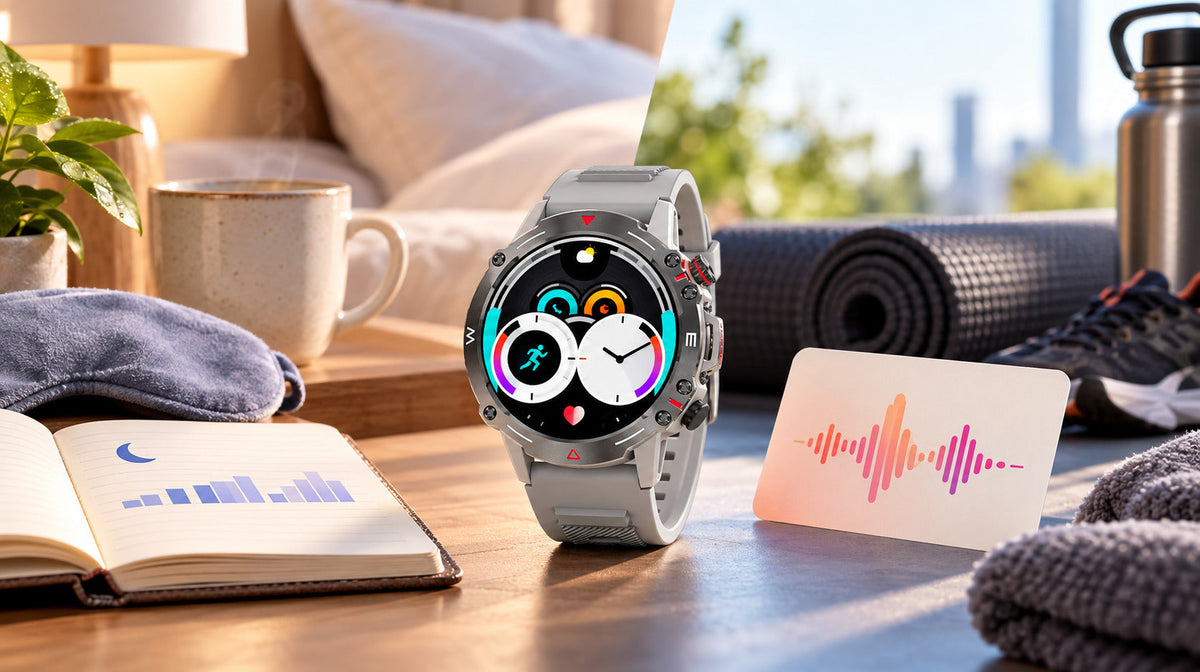
A smartwatch becomes more useful when you stop treating every number as a verdict. Phonemax Watch 1 can help you notice heart-rate and sleep patterns over time, but the most meaningful comparison is usually with your own routine under similar conditions—not with one isolated reading.
One heart-rate reading is a moment, not a trend
A watch reading can be influenced by what you were doing, how the watch was sitting on your wrist and whether the sensor maintained good contact. If a number looks unexpected, first note the context: resting, walking, exercising, recently sitting down or wearing the strap differently.
Then look for repetition. A similar pattern appearing at a similar time or activity level across several days is more informative for a personal wellness record than a single value without context.
Sleep information makes more sense across several nights
Bedtime varies. So do charging habits, movement and how long the watch remains on the wrist. For that reason, one short or incomplete sleep record should first be treated as a data-quality question.
Check whether Watch 1 was worn for the expected period, had enough charge and synchronized correctly. Once the records are complete, compare nights with similar schedules. The useful questions are practical: Did bedtime shift? Was the record repeatedly interrupted? Does a pattern coincide with a change in routine?
Wear, charge and synchronize consistently
Follow the supplied fitting instructions and keep the sensor contact area clean; do not overtighten the strap. Plan charging outside the period you intend to monitor. After wearing the watch, open its supported companion app, allow synchronization to finish and check that the expected records are present. If setup repeatedly fails, record the phone model, operating-system build, app version and a screenshot for support.
A simple trend log
| Date | Monitoring period | Wear or charging interruption | Activity or routine context | Record complete? |
|---|---|---|---|---|
| [Date] | [Start–end] | [Details or none] | [Exercise, travel, schedule] | [Yes/no; missing period] |
When the record looks wrong
- Missing sections: check wear time, charge, Bluetooth connection, permissions and synchronization.
- An isolated unusual value: check fit and movement, then compare another reading under calmer conditions.
- Repeated gaps: review the setup and whether the watch is consistently positioned during the intended monitoring period.
Keeping a brief note beside the data—exercise, travel, late bedtime or an interruption—often makes the trend easier to understand later.
What Watch 1 contributes
The current product page lists heart-rate monitoring, sleep monitoring, a 1.43-inch AMOLED display, Bluetooth 5.2, Bluetooth calling, a 410mAh battery and 123 sports modes. Current product artwork also lists blood-pressure and blood-oxygen monitoring. This article focuses on heart-rate and sleep trends; readings from any consumer wellness feature should not be treated as a clinical diagnosis.
Know when the watch is not the right source of answers
If you have symptoms, an urgent concern or a persistent change that worries you, seek appropriate medical advice instead of waiting for a watch pattern to explain it. A normal-looking consumer reading should not be used to dismiss how you feel.
For everyday use, the best approach is simple: wear the watch consistently, compare like with like and keep enough context to explain gaps. That turns a stream of numbers into a more useful personal record without asking the device to answer questions it was not designed to settle.
View the Phonemax Watch 1 product page or use the Watch 1 pairing, alerts and battery test log when setting up the device.
FAQ
Why is a sleep record missing?
Check wear time, battery level, Bluetooth, app permissions and synchronization before interpreting the gap as a sleep problem.
Should I compare my readings with another person?
For a personal wellness log, compare your own records under similar conditions. The watch does not establish clinical reference ranges.
Do working Bluetooth calls prove that records have synchronized?
No. Check that the expected records actually appear in the companion app.
Sources
- Phonemax Watch 1 product page, checked November 4, 2026.
- FDA general wellness guidance, used for the distinction between general wellness information and medical claims.

Zostaw komentarz
Wszystkie komentarze są moderowane przed opublikowaniem.
Ta strona jest chroniona przez hCaptcha i obowiązują na niej Polityka prywatności i Warunki korzystania z usługi serwisu hCaptcha.