
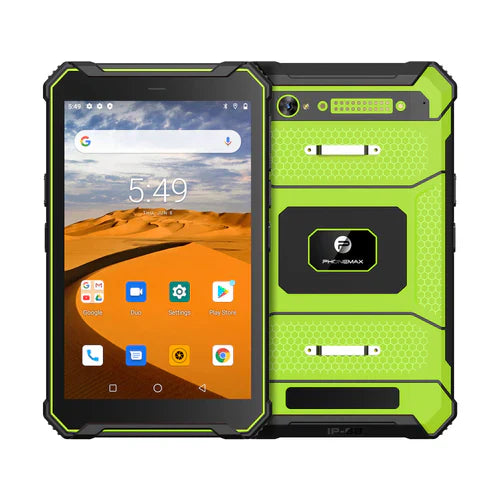
If a custom tablet project requires a physical button, describe the intended application action and its failure behavior before asking for hardware changes. “Add a scan key” leaves open which app receives the input, which field is active and what happens when the app is unavailable.
Define the input contract
| Requirement | Question to answer |
|---|---|
| Action | What should one deliberate press cause in the named app? |
| App state | Must the app be open, focused and signed in? |
| Repeated input | How should held, repeated or accidental presses be handled? |
| Feedback | How does the worker know the action was accepted? |
| Unavailable app | What should happen if the app is closed, locked out or showing an error? |
| Configuration change | Who checks the mapping after a software change? |
Keep a key separate from the capture hardware
A button that triggers a command does not establish that the tablet contains a barcode scan engine or that the application accepts its output. Identify the proposed hardware, input mapping and app integration separately. Use test records to check a complete transaction if an option is offered.
Request feasibility rather than assume availability
Phonemax's OEM/ODM page describes selected hardware and software requirements subject to platform and project evaluation. It does not establish an available custom button option on a particular tablet.
The current T1 listing describes the listed scanner configuration as without a Honeywell barcode scanner. Do not reinterpret a custom-key enquiry as confirmation of a scanner-equipped T1.
Send Phonemax the button-action specification and app requirements. Ask the app owner to review the input behavior. This is a requirements guide; hardware feasibility, key mapping, accidental-input handling and application compatibility remain unverified.
Related guide: Custom Tablet Projects: Assign an Owner to Each Requirement.

Efterlad en kommentar
Alle kommentarer er modereres, før de bliver offentliggjort.
'Denne side er beskyttet af hCaptcha, og hCaptchas Politik om beskyttelse af persondata og Servicevilkår er gældende.