
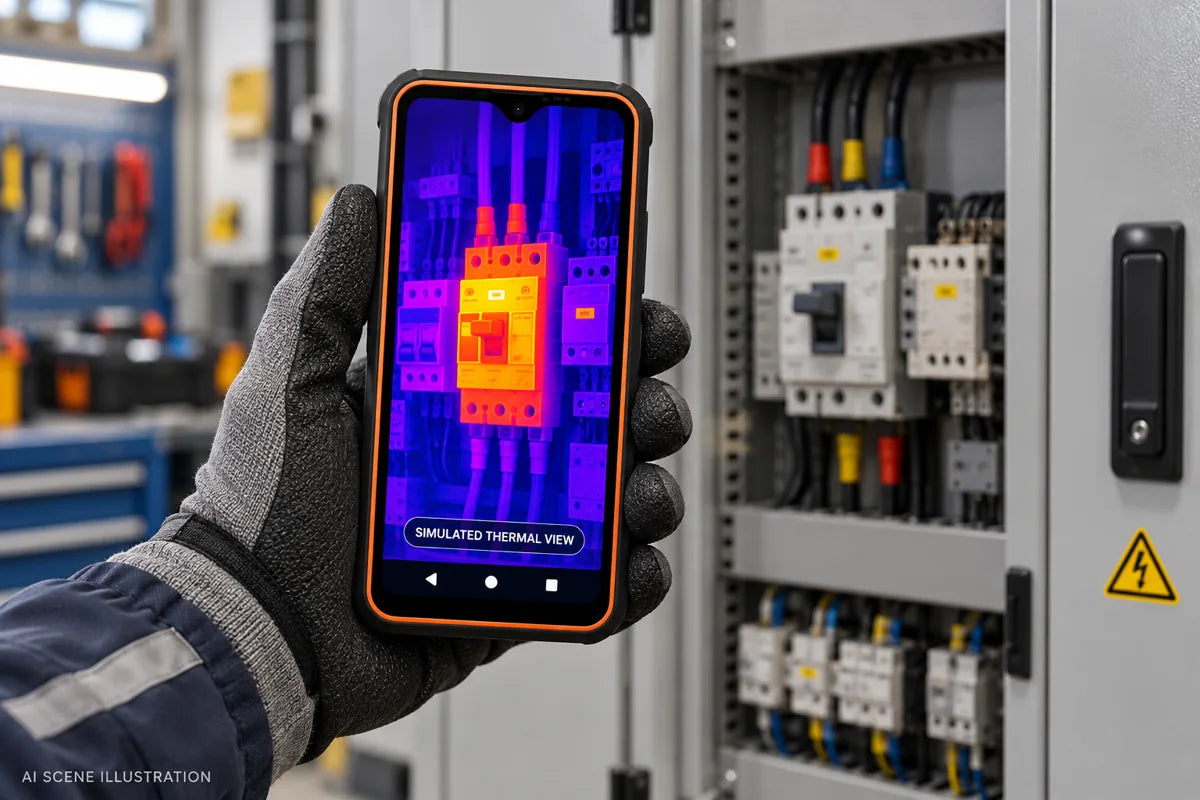
A thermal camera gives a phone a practical inspection function: it makes surface temperature differences visible. That can help you notice an unusually warm component, compare heating patterns around a window, or locate an exposed warm subject after dark. A rugged phone brings that function into the same device used for calls, photographs and field notes.
Thermal imaging is worth paying for when those checks are part of your work or hobbies. For someone who mainly needs messaging, navigation and ordinary photos, a phone without a thermal camera may be the better purchase.
Choosing a device? Read our Phonemax thermal imaging rugged phone buying guide for R4 GT and P20 Pro recommendations.
1. What thermal imaging adds to a smartphone
An ordinary camera records the appearance of a scene using light. A thermal camera uses infrared radiation to form an image of temperature patterns. The colors are a display palette: they help you distinguish areas within the displayed temperature scale.
For example, a normal photograph can record where a heater sits in a room. A thermal view can show the warmer area around it. The two images answer different questions, which makes them useful together when documenting a check.
| Imaging function | What it helps you see | Typical purpose |
|---|---|---|
| Ordinary camera | Visible appearance, labels and scene details | Identify the object and document its condition |
| Infrared-assisted night vision | Scene details in darkness using infrared illumination | Observe a dark area within the camera and illuminator's limits |
| Thermal imaging | Temperature contrast on visible surfaces | Find a thermal pattern that deserves closer examination |
A night-vision camera does not become a thermal camera because both involve infrared. The hardware and the information they capture differ. Check for an actual thermal imaging module before buying.

2. Five practical situations: the problem, what to look for, and the next step
An electrical connection appears unusually warm

The problem: a technician wants to investigate uneven heating among comparable connections in an operating cabinet.
What to look for: a localized hot area compared with similar components under a comparable load. Take a normal photo to identify the connection, then a thermal image of the same area.
The takeaway: the pattern identifies a location for a qualified electrician to investigate. It does not, by itself, establish a loose connection or overload. Only trained personnel should inspect energized equipment under the site's procedures.
A damp patch appears near a water pipe

The problem: there is discoloration on a wall, but the source is unclear.
What to look for: a temperature pattern that differs from the surrounding dry wall. Record its shape and location for a follow-up check.
The takeaway: use the pattern to narrow the follow-up area. A moisture meter or plumbing inspection is needed to distinguish leakage from condensation or another cause. The camera sees the wall's surface pattern, not water through the wall.
A radiator or underfloor-heated room has a cold area

The problem: part of a room remains cool after the heating has been operating.
What to look for: uneven surface heating across a radiator or floor, compared at a similar point in the heating cycle. Note rugs, furniture and floor materials that change the pattern.
The takeaway: mark the area for a heating technician to check circulation, controls or installation. A cooler strip alone does not identify the fault or prove the pipe layout.
A pet is somewhere in a dark garden

The problem: you cannot easily spot your pet in a dim outdoor area.
What to look for: an exposed warm shape against cooler surroundings. Confirm its identity with a light or the ordinary camera when possible.
The takeaway: thermal contrast may help you notice the animal, but a fence, wall or thick vegetation can block the view. A phone is an additional observation aid, not a pet-tracking guarantee.
You want to observe wildlife near a campsite after dark

The problem: a movement or sound is hard to locate using available light.
What to look for: a visible heat signature in the open area. Use night vision separately when you need scene detail within its illumination range.
The takeaway: spotting a heat signature and identifying the subject are different tasks. Keep a safe distance and retain your normal lighting and navigation equipment.
Compare phones with a built-in thermal camera, or ask support which sample material is available for your task.
3. Why choose a thermal imaging phone for field work?
The main advantage is convenience. You can make a thermal observation, photograph the location and send a message from one handset. A built-in camera also avoids attaching a separate phone accessory for each quick check.
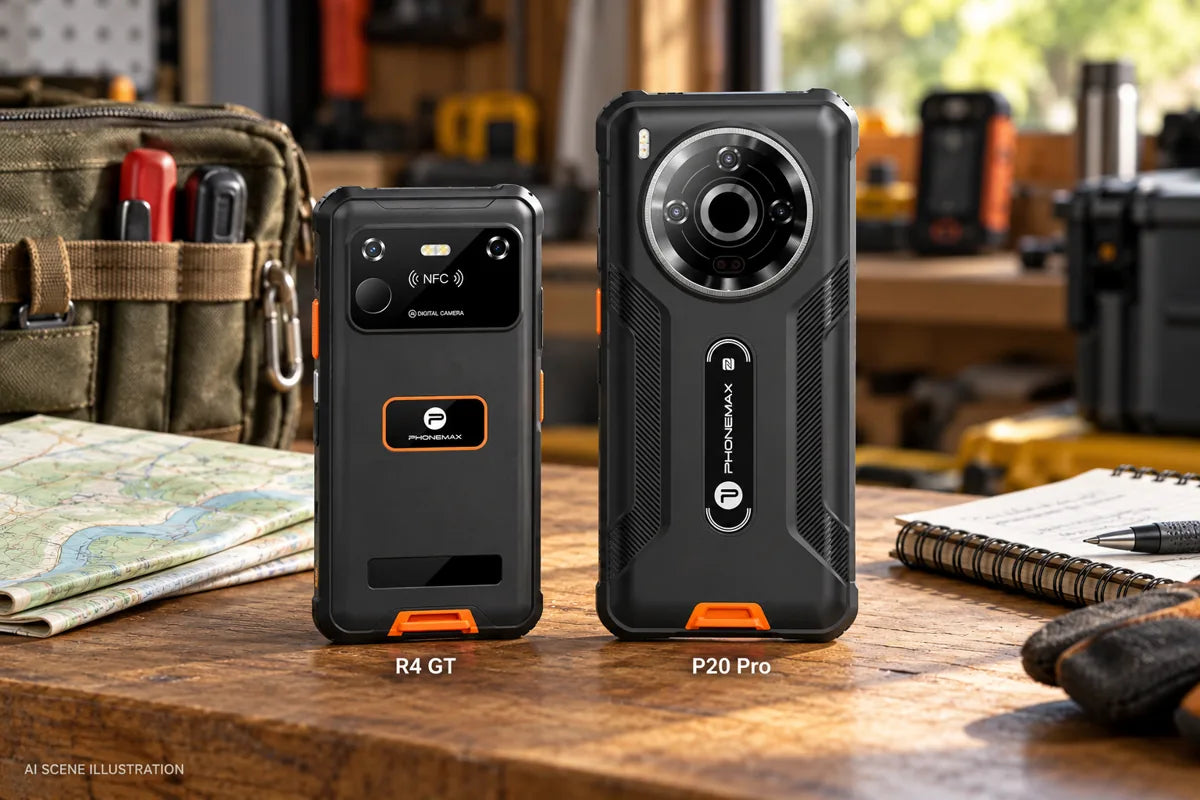
For Phonemax buyers, the physical choice is clear. The R4 GT brings thermal imaging into a compact 190 g body. The P20 Pro offers a larger 5G platform. Carry comfort, screen size and network compatibility can matter as much as the thermal camera itself.
Rugged protection and thermal performance are separate specifications. Water and dust ratings do not establish temperature accuracy or approval for hazardous locations.
4. What a thermal phone cannot tell you on its own
- It cannot look through walls or ordinary window glass. It observes the surface or reflected infrared radiation.
- A bright patch does not automatically mean a fault. The palette and temperature scale affect how a scene appears.
- A displayed temperature needs context. Surface emissivity and reflections can affect the reading, particularly on shiny metal.
- A phone image does not establish a diagnosis. Use suitable professional equipment and procedures when a decision depends on verified temperature accuracy.
5. A useful first inspection routine
- Name the question. For example: which accessible area appears warmer than nearby comparable surfaces?
- Capture context. Photograph the object and record the time, operating state and approximate viewing position.
- Inspect the thermal scale. Compare similar surfaces under similar conditions, rather than judging color alone.
- Check a surprising result. Consider reflections and repeat from another suitable angle.
- Keep the evidence together. Save both images and a short note describing what still needs investigation.
Follow the supplied camera instructions and the procedures for your application.
Who can skip a thermal imaging phone?
If your phone is mainly for calls, messaging, navigation and everyday photos, and you rarely inspect temperature patterns, the extra thermal hardware may offer little value. Choose a non-thermal rugged phone around the size, battery and connectivity you need.
Frequently asked questions
Does every rugged phone need thermal imaging?
No. Choose it if seeing temperature patterns will help with tasks you actually perform. Rugged construction alone does not require a thermal camera.
Can a normal phone get thermal imaging through an app?
An app alone cannot add a thermal sensor. A regular phone needs compatible external thermal hardware; a thermal imaging phone has that hardware built in.
Does thermal imaging work in complete darkness?
Yes, it can form an image without visible light. The scene still needs useful thermal contrast, and obstacles can block the view.
Which Phonemax phones should I consider?
Start with R4 GT for compact carry or P20 Pro for a larger 5G device. Our thermal phone buying guide compares their current specifications, prices and tradeoffs.
Choose your next step
Need a thermal camera you can carry every day? See the compact R4 GT. For a larger display and 5G, see P20 Pro. Use our thermal imaging phone buying guide to compare their thermal specifications and current pricing.
Ask Phonemax support on WhatsApp with your intended task and country.
Sources and disclosure
Published by Phonemax, which sells the phones discussed. Scene artwork was generated with AI using official Phonemax product photos as references. Heat-colored displays are simulated illustrations. Product renders are marketing images. The scenarios illustrate inspection methods; this article does not present controlled phone tests, completed customer diagnoses or paired visible/thermal sample images.
- Phonemax R4 GT specifications and Phonemax P20 Pro specifications
- FLIR: what thermal imaging can and cannot see through
- FLIR: emissivity and reflected temperature
- FLIR documentation: measurement parameters and temperature scales (general principles; device controls vary)
Further application references: thermal patterns associated with water leaks; floor-heating inspection principles. These describe general methods, not tests of the phones discussed.

Dejar un comentario
Todos los comentarios se revisan antes de su publicación.
Este sitio está protegido por hCaptcha y se aplican la Política de privacidad de hCaptcha y los Términos del servicio.