
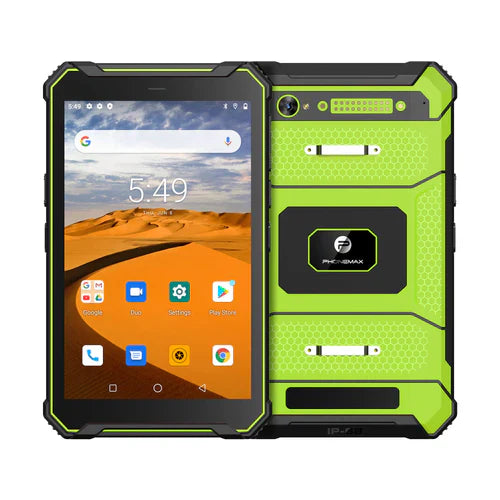
When an accessory is shared between tablets, define which workstation owns the next task and how that ownership changes. A connection left active on the previous unit can create confusion even when each tablet works with the accessory individually.
Document the handover rule
| Stage | Decision |
|---|---|
| Previous task ends | How is its result confirmed before transfer? |
| Ownership changes | Which vendor-supported disconnect or selection procedure applies? |
| Next task begins | How does the operator confirm the intended tablet and accessory? |
| Two tablets are nearby | What behavior should the app show if the accessory is unavailable? |
Test two workstations together
Use the exact accessory and two authorized sample tablets with harmless jobs. Complete the first task, apply the approved handover and produce a distinct second result. Check both systems to confirm that the output reached the intended record. Record how a failed transfer is recognized and resolved.
Ask the accessory vendor whether it supports one host or multiple hosts and how its application handles selection. Do not infer simultaneous connections, automatic switching or a universal unpairing procedure from a Bluetooth version number.
The T1 listing does not establish Bluetooth 5.0, multipoint support or compatibility with your shared accessory. Keep the selected Gray or Green build in the evaluation record. No shared-host trial is reported here.
Use physical accessory identification checks alongside handover. Contact Phonemax with the host-selection requirements.


Laisser un commentaire
Tous les commentaires sont modérés avant d'être publiés.
Ce site est protégé par hCaptcha, et la Politique de confidentialité et les Conditions de service de hCaptcha s’appliquent.