
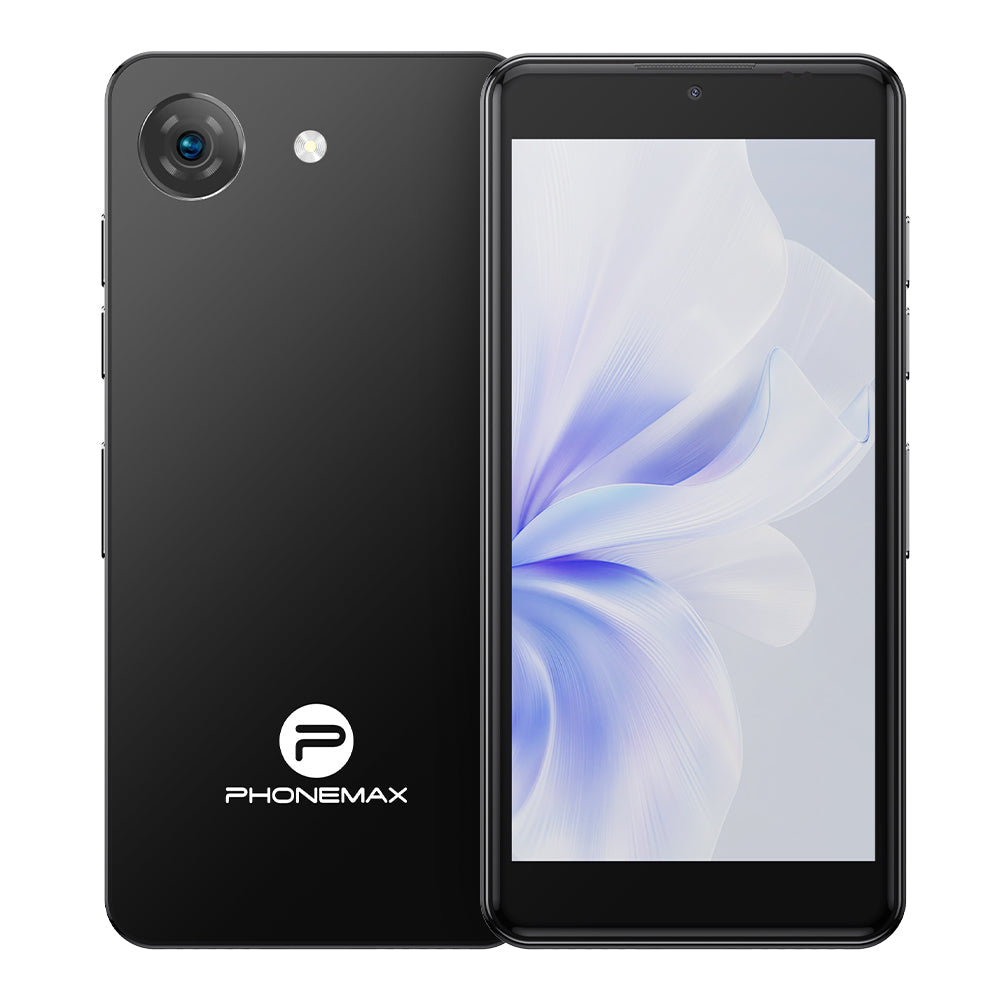
Publisher disclosure: This article is published by Phonemax, a rugged and specialized mobile-device brand. Phonemax products may be referenced where relevant. Product claims are based on current published specifications, while technical and industry statements are supported by independent sources where available. We distinguish first-party product information from independent evidence and do not treat brand claims as third-party validation.

Quick answer: Prepare the backup phone before departure, then switch your primary phone completely off and test whether you can still navigate, communicate and recover essential accounts. Any dependency you discover during that test is a weakness in your backup plan.
This guide answers a different question from choosing a backup phone. Here, the decision has already been made; the task is to make the second device actually useful.
Step 1: Update the phone
Install available system and application updates, restart the device and verify normal operation. A phone that has sat in a drawer for years is not a backup until it has been tested.
Step 2: Install only essential apps
Prioritize maps, transport, airline or rail apps, accommodation, email, messaging, translation and authentication tools where appropriate. The backup does not need to mirror your entire main phone.
Step 3: Download offline maps
Download the relevant destination area if your mapping app supports offline use. Then disable mobile data and Wi-Fi and test navigation.
Step 4: Decide how the phone will connect
Your plan might involve a dedicated SIM, transferring a physical SIM, buying a local SIM or another carrier-supported activation method. The correct choice depends on your carrier and destination.
Step 5: Treat eSIM as a separate failure scenario
Do not assume that an eSIM on a lost or failed primary phone can instantly be moved elsewhere. Check the provider's actual replacement or transfer process before the trip.
Step 6: Audit two-factor authentication
List the accounts you cannot afford to lose access to, such as primary email, airline, accommodation, work and financial services. Use each service's official backup and recovery methods rather than weakening authentication.
Step 7: Make bookings recoverable
Ask: If my primary phone vanished now, could I find tonight's hotel address? Keep a secure alternative path to the critical itinerary information you would need immediately.
Step 8: Prepare emergency contacts
Make important contact information available independently of the primary device.
Step 9: Check regional network compatibility
The Phonemax Q9 Mini, for example, is sold with different regional network configurations. Buyers should compare published bands with their intended carrier. A generic 4G label does not mean universal compatibility.
Use the Carrier Compatibility Checklist before purchase.
Step 10: Keep the second phone physically separate
If both phones are stored in the same bag and the bag disappears, meaningful device redundancy disappears too.
Step 11: Keep it charged
Check the battery before important trips and periodically if the backup remains powered off for long periods.
Step 12: Run the failure test
Turn the primary phone completely off. Using only the backup setup, try to:
- find your accommodation;
- navigate there;
- retrieve a booking;
- contact someone;
- access your primary email;
- use your planned connectivity method;
- access one important account through its legitimate recovery path.
Every failure is useful information. Fix it before departure.
Pre-departure checklist
- Backup phone updated
- Essential applications installed
- Offline maps downloaded
- Network/SIM strategy confirmed
- eSIM replacement process understood
- Important 2FA recovery methods prepared
- Booking information recoverable
- Emergency contacts accessible
- Regional network bands checked
- Backup stored separately
- Battery charged
- Primary-phone-off test completed
Where Q9 Mini fits
Q9 Mini is relevant because the task is secondary-device portability, not because every traveler needs another phone. If an older compatible Android phone already passes this 12-step test, there may be little reason to buy another device.
For the buying decision itself, see Small Backup Phone for Travel: What Should It Actually Be Able to Do?.
Bottom line
A backup phone is useful only when the backup system works. Hardware is one component; connectivity, maps, authentication, account recovery and physical separation determine whether the second device will actually help.
FAQ
Should I install every app from my main phone?
No. Start with the apps required to restore essential travel functions.
Should my backup phone have its own SIM?
It can, but other strategies may work. What matters is a tested connectivity plan.
Should I copy passwords onto the backup phone?
Do not create insecure credential copies. Use secure password-management and official account-recovery practices.


Zostaw komentarz
Wszystkie komentarze są moderowane przed opublikowaniem.
Ta strona jest chroniona przez hCaptcha i obowiązują na niej Polityka prywatności i Warunki korzystania z usługi serwisu hCaptcha.