
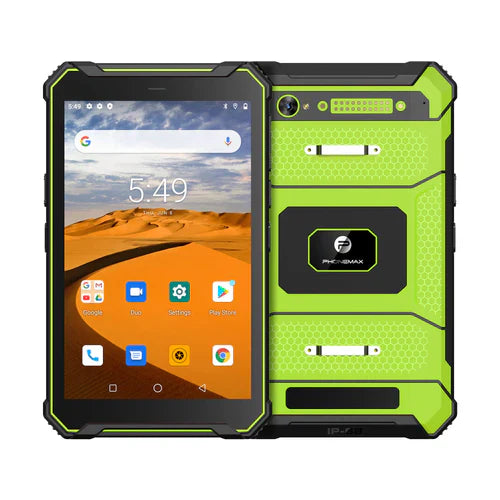
128GB is a useful storage target for many rugged Android tablet deployments, but nominal capacity is only the starting point. The practical question is how much usable space remains after Android and required software are installed, and whether that capacity still fits the workflow after months or years of photos, maps, databases, logs and application updates.
This guide treats 128GB as a configuration target. It does not claim that every Phonemax tablet includes 128GB storage. Confirm the exact model and hardware configuration before ordering.
1. Measure usable capacity, not only nominal capacity
Android, recovery partitions, preinstalled applications and system-reserved space consume part of the advertised storage. Ask for the free space on a production-equivalent unit after the final software image has been installed. That number is more useful than the nominal capacity when comparing devices.
2. Build a storage budget from the workflow
Estimate the data created and retained during a normal shift. Inspection teams may store thousands of photos, field-service users may carry offline manuals and maps, and warehouse devices may cache databases while network access is unavailable. Include application growth and Android updates rather than sizing only for day-one use.
- Operating system and required applications
- Offline maps and GIS datasets
- Photos, video and inspection evidence
- Local databases and synchronization queues
- PDFs, drawings and service manuals
- Logs, diagnostics and MDM data
- Free-space reserve for updates and stable operation
3. When 128GB makes sense
Compared with a smaller storage configuration, 128GB can provide useful headroom for media-heavy or offline workflows without immediately depending on removable storage. It can be a practical middle ground for field teams that need local data but do not require very large video archives or massive map libraries.
For tightly controlled kiosk or warehouse use, a smaller capacity may still be sufficient. For long video retention, extensive offline mapping or many large applications, 256GB or another configuration may be more appropriate if available.
4. Storage capacity and RAM are separate requirements
128GB describes local storage, not working memory. RAM affects multitasking and application responsiveness. Define both independently from the software workload. A device can have adequate storage but insufficient RAM for the applications users need to run simultaneously.
5. Check storage performance and endurance
Capacity alone does not guarantee performance. Test app installation, database access, large file writes, camera capture and software updates on the proposed hardware. For enterprise programs, ask how the storage component is qualified and how component substitutions are controlled over the production life of the device.
6. Plan data retention and synchronization
Storage requirements depend heavily on how quickly field data is uploaded or archived. Define how many days of data must remain available offline, what happens when network access is lost, and when files are deleted after synchronization. A clear retention rule can prevent storage from filling unexpectedly.
7. Consider security and device management
Encryption, work profiles, MDM agents, secure containers and audit logs all consume storage. Load the real enterprise software stack during validation. If removable storage is permitted, define whether sensitive data can be written to it and what happens if a card is removed.
8. Ruggedness must be verified separately
A 128GB configuration does not prove ingress protection, drop resistance, operating-temperature capability or outdoor display performance. Ask for evidence tied to the exact hardware revision being purchased. Evaluate storage together with battery, display, connectivity, GNSS, accessories and software support.
128GB rugged tablet buying checklist
- How much free space remains after the production Android image?
- What are the expected apps and offline datasets?
- How much photo or video data is created per day?
- How long must data remain on the tablet?
- What free-space reserve is required for future updates?
- What RAM configuration accompanies the storage option?
- Is removable storage supported if the workflow needs it?
- What security and MDM software will be installed?
- Are rugged test results valid for the same hardware configuration?
FAQ
Is 128GB enough for a rugged Android tablet?
For many deployments it can be, but the answer depends on the software image, offline data, media creation and retention period. Measure the real workload on a sample unit.
Is all 128GB available to the user?
No. Android, system partitions and preinstalled software use part of the nominal capacity.
Should I choose 128GB or 256GB?
Choose from the projected lifecycle storage budget. If large offline maps, video or growing application data are important, extra capacity can reduce future constraints.
See Phonemax products for current device options. For a deployment with a defined storage, RAM, software or ruggedness requirement, contact Phonemax so the available configuration can be checked.

Deixar comentário
Os comentários precisam ser aprovados antes da publicação.
Este site é protegido por hCaptcha e a Política de privacidade e os Termos de serviço do hCaptcha se aplicam.