
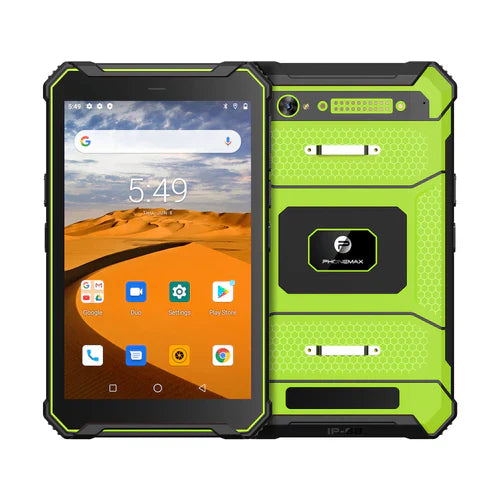
For an OEM or ODM rugged-tablet project, a requirement such as 64GB internal storage with expandable capacity should be defined as part of the complete hardware and software specification. The project needs to distinguish nominal storage, usable capacity, removable-media support, performance, security policy and future software growth.
This page treats 64GB and expandable storage as project requirements. It does not state that every Phonemax rugged tablet includes those options. The exact configuration should be confirmed for the selected hardware platform.
1. Define the storage requirement in engineering terms
Instead of writing only “64GB ROM,” specify the minimum usable internal capacity after the production Android image, the expected application footprint, local data volume and required free-space reserve. If removable storage is needed, define the card type, minimum supported capacity, file system and whether the card must be field replaceable.
2. Separate internal and removable storage
Internal flash is normally used for Android, applications and core application data. Removable media can be useful for maps, documents, images or export workflows, but performance and security characteristics can differ. Confirm whether applications can use the external media in the intended way and whether Android restrictions affect access.
3. Size the storage from the use case
- Warehouse and kiosk applications may need relatively little local data.
- Inspection teams may create large photo libraries.
- Utilities and field service may keep offline GIS maps and manuals.
- Video evidence can rapidly exceed a 64GB plan.
- Enterprise databases and offline synchronization queues can grow over time.
Build a data-retention model that covers daily creation, upload frequency, deletion policy and the expected service life of the device.
4. Ask about the final Android software image
OEM/ODM customization can add launchers, MDM agents, proprietary apps, diagnostic tools, language packs and customer resources. These consume storage. Measure usable free space after the final signed production image, not from a generic engineering sample.
5. Validate performance and endurance
Capacity is only one requirement. For database-heavy or media-heavy workflows, test read/write performance, application loading, camera write speed and large software updates. For long deployment cycles, discuss component qualification and change control so a substitute storage device does not silently alter performance.
6. Security policy can determine whether expansion is useful
Some organizations prohibit removable media. Others require encrypted storage or managed access. Define encryption, work-profile, file-sharing and card-removal behavior during the project specification. If external storage cannot meet policy, choose sufficient internal capacity instead.
7. Pair storage with the right RAM configuration
64GB storage does not define RAM. A lightweight single-purpose application and a multi-app industrial workflow can need different memory configurations even if both store the same amount of data. Test the full workload on the proposed RAM and storage combination.
8. OEM/ODM questions to include in the RFQ
- Which internal storage capacities are available on the chosen platform?
- How much user-accessible storage remains after the final software image?
- Is removable storage supported, and to what tested capacity?
- Can the customer control partitioning, encryption or application policy?
- What RAM combinations are available?
- What is the component change-control policy for the storage device?
- How are Android updates and customer applications delivered?
- Can samples be built with the final software and storage configuration?
- What ruggedness, battery, display and radio tests apply to the same hardware revision?
9. Prototype with real data
Before volume production, load the actual applications, maps and sample data onto engineering units. Run normal shifts, create expected photos or records, perform updates and observe storage growth. A short field pilot can reveal whether 64GB plus expansion is appropriate or whether a larger internal capacity is the more reliable choice.
10. Avoid using storage size as a product-quality shortcut
A larger capacity does not automatically make a rugged tablet better. The correct device must also match ingress, drop, temperature, display, battery, GNSS, cellular bands, accessories and software-management requirements. Evaluate the complete system.
FAQ
Can an expandable-storage rugged tablet replace a larger internal-storage model?
Sometimes, but not for every workflow. Android restrictions, speed and security policy can make internal storage preferable for applications and sensitive data.
What should an OEM buyer verify about “64GB ROM”?
Verify usable capacity after the production image, storage performance, component identity or qualification, and whether the configuration is fixed for production.
Should removable media be part of the acceptance test?
Yes, if the project depends on it. Test the actual card type, capacity, file system, removal behavior and application workflow.
See Phonemax product options for current platforms. For an OEM/ODM project, contact Phonemax with the storage target, expansion requirement, Android software image, RAM, ruggedness and regional connectivity requirements.


Deixar comentário
Os comentários precisam ser aprovados antes da publicação.
Este site é protegido por hCaptcha e a Política de privacidade e os Termos de serviço do hCaptcha se aplicam.