
A shared tablet’s restart procedure should identify who can restore each required service without sharing private SIM or account credentials. Include that handover before accepting a two-subscription deployment.
Distinguish the possible access barriers
| Barrier to check | Owner of the recovery instruction |
|---|---|
| Device screen lock | Organization’s device administrator |
| SIM credential prompt, if configured | Authorized subscription owner or operator |
| Work-app sign-in | Application account administrator |
| Unavailable data service | Operator and equipment support team |
Ask the supplier and account owner which prompts apply to the selected configuration. Do not assume every device uses the same menu, credential policy or SIM arrangement. Keep operator-issued recovery information in the organization’s approved private system, not on a sticker attached to the tablet.
Rehearse a controlled handover
- Agree who may restart the device and when, using a non-production task.
- Follow the authorized startup instructions and record which services are available.
- Have the appropriate owner resolve any credential prompt through the approved process.
- Confirm the intended data service and a known test transaction.
- Record the support route for a worker who cannot restore service.
Do not guess a SIM PIN or repeatedly enter unverified codes. Stop at an unexplained prompt and contact the authorized owner. A second subscription does not remove the need for a clear access policy.
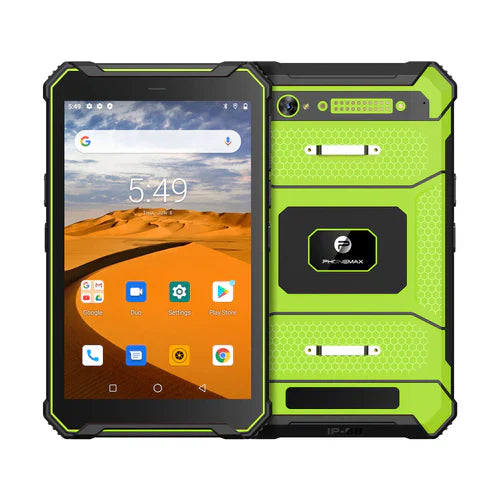
The current T1 page lists Gray Android 16 and Green Android 10 versions but does not verify your SIM credential policy or a shared-device restart procedure. This article reports no credential or service-recovery test.
Use the SIM replacement and service-record guide when cards change, and confirm configuration questions with Phonemax before rollout.


Deixar comentário
Os comentários precisam ser aprovados antes da publicação.
Este site é protegido por hCaptcha e a Política de privacidade e os Termos de serviço do hCaptcha se aplicam.