
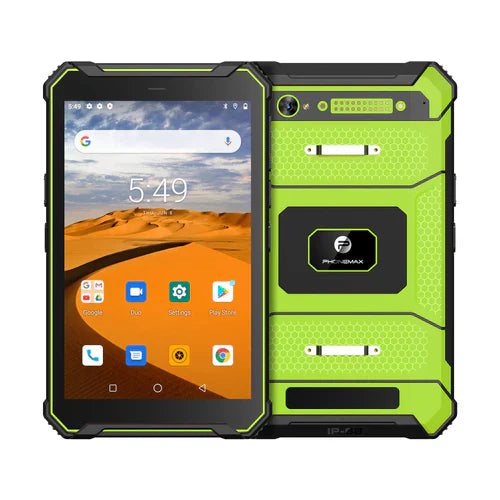
Evaluate a proposed accessory firmware update with the approved tablet app before applying it across the fleet. A release intended to fix one issue still needs a documented check of the functions your team relies on.
Use a small change record
| Record | What to include |
|---|---|
| Starting configuration | Accessory model, old firmware, tablet build and app release |
| Proposed change | Vendor release notes and supported update procedure |
| Critical checks | Discovery, required data exchange, saved result and recovery cases |
| Release decision | Named approver, rollout scope and support route |
Preserve a useful comparison
Use a designated evaluation unit and harmless sample records. Retain the before/after observations and keep other software changes controlled so differences can be investigated. Ask the vendor whether rollback is supported; do not assume an older image can be restored or attempt an undocumented downgrade.
If the accessory behaves differently after the change, send the exact versions and reproducible symptom to its vendor and the app owner. An updated firmware label alone does not establish improved reliability, security or compatibility.
The T1 listing identifies separate Gray Android 16 and Green Android 10 configurations. It does not provide a third-party accessory firmware policy or guarantee either build's compatibility. No firmware update trial or ongoing update commitment is reported here.
Use the post-sleep result check as one possible regression case. Contact Phonemax with the accessory and application requirements.


Залишити коментар
Усі коментарі модеруються перед публікацією.
Цей сайт захищено за допомогою hCaptcha. Застосовуються Політика конфіденційності та Умови надання послуг hCaptcha.