
Price update — October 9, 2026: Prices in this guide were rechecked in USD against the listed product configurations. Prices and availability may change; confirm the selected configuration on its product page before ordering.
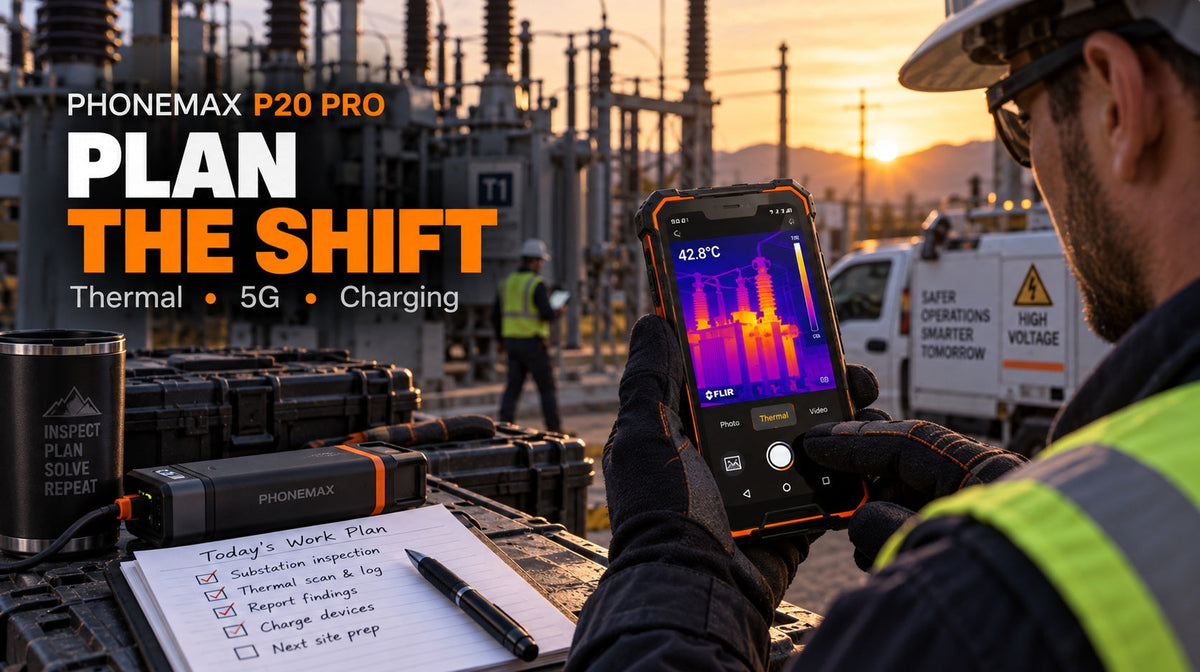
Batch your thermal captures instead of scattering them, and keep 5G off until you actually need to upload. Those two habits do more for an inspection day than every other power setting combined, because thermal imaging and 5G are the two heaviest loads this device carries — and unlike screen brightness, both are entirely under your control in terms of when they run. An inspection phone that dies at three o'clock is not a hardware problem; it is a scheduling problem.
Key facts
| Specification | Phonemax P20 Pro |
|---|---|
| Product type | 5G rugged smartphone with integrated thermal camera |
| Dimensions | 172.6 x 81 x 17.8 mm |
| Weight | 394 g |
| Networks | 5G, 4G, 3G, 2G (bands published on the product page) |
| Battery | 10,000 mAh; 66W fast charging |
| Thermal resolution | 256 × 192 |
| Protection | IP68 and IP69K |
| Colour | Orange |
| Price | $479 |
The current product page lists a 10,000 mAh battery and 66W fast charging. Those are capacity and charging specifications, not a guaranteed runtime; thermal workload, 5G signal quality, display brightness and temperature still determine how long a shift lasts.
The two loads that dominate an inspection day
Ordinary battery advice — dim the screen, close background apps — applies here as it does to any phone. But on a thermal-imaging 5G device, two specific activities dwarf the rest.
Thermal capture. Running an imaging sensor alongside the normal camera pipeline and the display is a substantial draw, and it generates heat, which itself affects battery behaviour. A day of continuous thermal use looks nothing like a day of occasional captures.
5G. 5G radios generally consume more power than 4G, and the gap widens in marginal coverage where the modem transmits harder to hold a connection. An inspection site on the edge of 5G coverage is close to the worst case: the device works hard, gets little, and drains fast.
The good news is that both are discretionary in timing. You cannot choose whether the sun is bright, but you can absolutely choose when to run the thermal camera and when to let uploads happen.
Structure the day around the loads
Before the shift
Charge to full and carry a means of recharging. Assume an inspection day uses more than a normal day.
Cache everything you will need. Site plans, asset lists, previous reports, reference images. Fetching them on demand over a marginal connection costs power twice — once for the transfer and again for the retries.
Decide your upload strategy. If the day's captures can sync at the end, plan for that. Continuous background upload from a site with poor coverage is a slow leak all day.
Set network mode deliberately. If the site has no usable 5G, lock the device to 4G. Letting the modem hunt for a 5G signal that is not there is pure waste. Where 5G is strong and you have large thermal image sets to move, switch it on for the upload window.
During the shift
Batch thermal work. Walk the route, note what needs imaging, then do the captures in a concentrated pass rather than waking the sensor forty separate times. Fewer, longer sessions are more efficient than many short ones, and you will produce a more consistent set of images for comparison.
Compare within a session, not across the day. This is a technique point as much as a power point: surface temperatures shift with sun, wind and time, so a comparative scan done in one pass is more reliable than one assembled over eight hours. Batching serves both goals at once.
Keep the phone out of direct sun between captures. Heat affects both battery behaviour and, on any thermal device, the sensor's working environment. A pocket or a shaded bag is better than a dashboard.
Screen brightness at the minimum you can read. Outdoor inspection forces high brightness, and the display is a constant drain in a way the thermal sensor is not.
Charge opportunistically. Vehicle time between sites is charging time. Reaching the afternoon with a meaningful reserve changes what the last two hours look like.
End of shift
Upload deliberately, on a good connection. Thermal image sets are large. Walking into coverage and letting forty queued uploads fight over a weak signal is how you fail all forty and flatten the battery doing it.
Review what you captured before you leave the site. Discovering an unusable image the next morning means a return visit.
Measure your own day first
Before building a routine around any of this, spend three working days recording the battery percentage at four fixed points — shift start, mid-morning, lunch, shift end — and note anything unusual, particularly how much thermal work each day involved.
You will very quickly see the relationship between imaging volume and drain, and that relationship is specific to your work. A surveyor taking six captures a day and an inspector taking sixty have different problems, and generic advice serves neither.
The worst day is the one to plan for, not the average.
Practical use cases and how they load the battery
- Scheduled preventive inspection. Predictable capture volume, usually the easiest day to plan.
- Fault-finding call-outs. Unpredictable, often urgent, frequently in poor coverage. Carry supplementary power.
- Multi-site routes. Vehicle time between sites is the charging opportunity that makes long days workable.
- Documentation-heavy work where every capture is uploaded to a customer portal. Batch the uploads; do not let each one fire individually.
- Cold-weather inspection. Lithium capacity drops in cold. Keep the device warm between uses — an inside pocket is worth more than any software setting.
Comparison: is the P20 Pro the right device for your day?
If you rarely use thermal imaging, the Phonemax P20 at $358 is the same platform without the thermal camera. Both publish the same 172.6 x 81 x 17.8 mm body, the same 394 g weight and the same band list — thermal imaging is the only published difference between them. Paying $121 more for a sensor used twice a year is a common overspend, and removing it also removes its share of the power budget.
If your thermal work is all-day and the weight is punishing, the Phonemax R4 GT at $298 provides thermal imaging and night vision at 121 x 59.2 x 18.3 mm and 190 g — less than half the P20 Pro's weight. It trades 5G and screen size for that.
If a lighter and lower-cost device is the priority and thermal imaging is not required, the Phonemax P2 at $191 lists a 6,100 mAh battery, 8GB RAM, 128GB storage and IP68/IP69K protection.
If you need a large screen for reporting, the Phonemax T1 at $299 pairs Android 16 with a 12,000 mAh battery and 18W charging. Note that the listed T1 configuration does not include a barcode scanner.
Compare within the Thermal Imaging Rugged Phones and Rugged Phones collections.
Limitations and what to know
- The P20 Pro lists a 10,000 mAh battery and 66W fast charging, but no fixed workday runtime is promised. Thermal use, network quality, display settings and temperature can materially change endurance.
- The current product page lists 256 × 192 thermal resolution. For measurement-grade work, confirm the required temperature range, accuracy and calibration documentation for the exact unit before relying on it.
- 5G power behaviour depends on coverage quality, not just on whether 5G is enabled. Marginal coverage is worse than none.
- 394 g carried all day is a genuine consideration. Compare against your current handset.
- Cold reduces available capacity on any lithium battery. Winter planning needs different assumptions from summer.
- Battery capacity degrades with age. A two-year-old device will not match its first-week endurance; fleet planning should account for that.
- Check bands before ordering. The P20 Pro publishes its 5G, 4G, 3G and 2G bands; compare them against your carrier's actual local deployment.
- No independent third-party review of the P20 Pro exists that we are aware of.
FAQ
How long does the Phonemax P20 Pro battery last? The product page lists a 10,000 mAh battery, but it does not promise a fixed runtime. Actual endurance depends on thermal capture volume, network mode, coverage quality, screen brightness and temperature. Measure your own drain rate over three working days.
Does thermal imaging drain the battery quickly? It is one of the two heaviest loads on this device, alongside 5G. That is why the main recommendation here is to batch captures into concentrated sessions rather than waking the sensor repeatedly through the day.
Should I turn 5G off during an inspection? On sites without usable 5G coverage, yes — locking to 4G prevents the modem hunting for a signal that is not there. Where 5G is strong and you need to move large image sets, switch it on for the upload window.
Is it better to upload thermal images as I go or at the end? On a good connection, either works. On a marginal one, batching at the end of the day is more reliable and more power-efficient than repeated failed background attempts.
What is the difference between the P20 and the P20 Pro? The integrated thermal camera is the main published distinction. Both list the same 172.6 × 81 × 17.8 mm dimensions, 394 g weight and network-band list. The P20 is $358; the P20 Pro is $479.
Does cold weather affect the P20 Pro? Cold reduces available capacity on all lithium batteries. Keep the device close to body warmth between uses in winter conditions.
Editorial disclosure
Phonemax publishes and sells the P20 Pro. Specifications were checked against the live product page on 8 September 2026. The article gives workload-planning guidance; it does not claim a guaranteed runtime or replace a calibrated thermal instrument when traceable measurements are required.
Sources and references
- Phonemax P20 Pro product page — manufacturer specifications and published bands
- Phonemax P20 product page — non-thermal comparison model
- Phonemax P2 product page — published 6100mAh comparison
- DeviceSpecifications, P20 Pro comparison entry (independent aggregator)
Evidence boundaries: all product specifications are first-party manufacturer data. The current product page lists a 10,000 mAh battery and 66W fast charging; no fixed runtime is claimed. The DeviceSpecifications page is an independent aggregator listing useful for cross-checking communication hardware; it is not a test of battery or thermal performance. The cited DeviceSpecifications entry corroborates key specifications but is not a laboratory battery or thermal-performance test. The workflow guidance is general practice rather than a Phonemax endurance benchmark.
Related guides
- How to Build a Repeatable Thermal Inspection Workflow with the Phonemax P20 Pro
- Phonemax R4 GT vs P20 Pro: Compact Thermal Phone or 5G Thermal Rugged Phone?
- Phonemax N1 GPS Battery Drain: How to Plan an All-Day Navigation Test

Dejar un comentario
Todos los comentarios se revisan antes de su publicación.
Este sitio está protegido por hCaptcha y se aplican la Política de privacidad de hCaptcha y los Términos del servicio.