
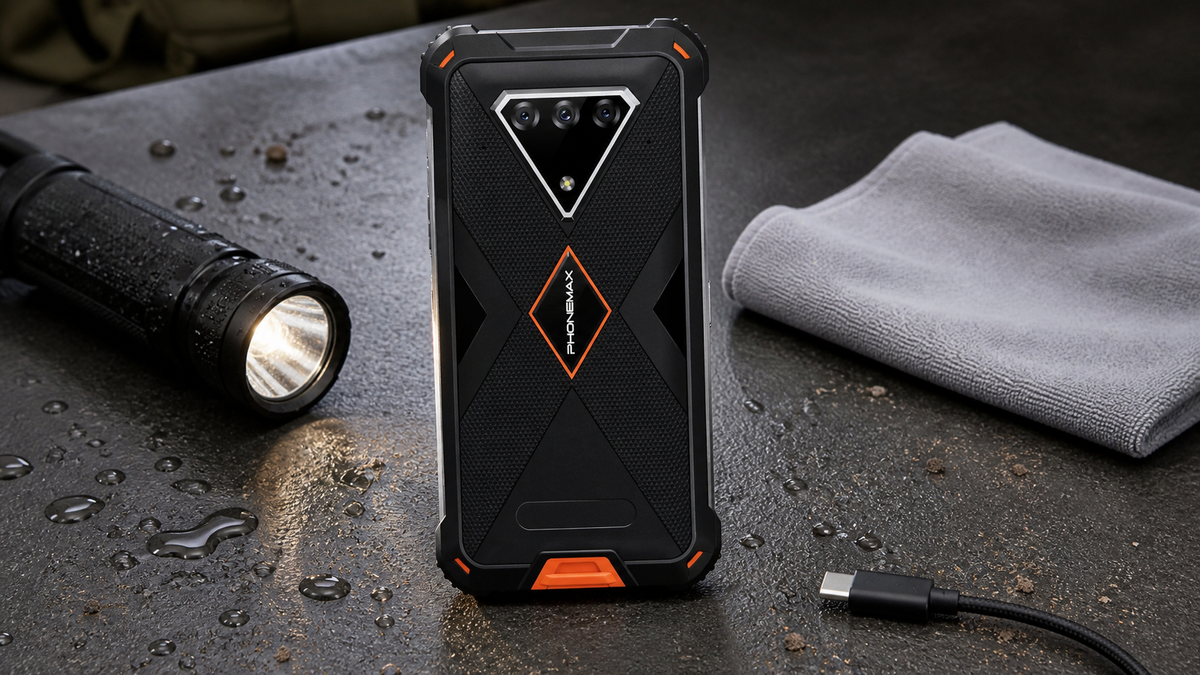
Author and review: Phonemax; source review batch C was completed on 20 August 2026. The response card follows conservative published connector-safety guidance; it is not a substitute for model-specific service instructions. Publisher relationship: The M10 appears because this guidance is published by its seller, Phonemax. The model's fast-charging positioning never overrides wet-port precautions.
Immediate action
Disconnect power when a USB-C port is wet, dirty, hot or damaged. Do not force a plug into it or insert tools. Follow the model’s cleaning instructions, allow it to dry at room temperature, inspect the cable and port, and resume charging only when the connector is clean, dry and undamaged. Escalate recurring warnings or corrosion.
Why rugged does not mean “charge while wet”
Ingress protection applies under stated test conditions and typically depends on an intact enclosure and correctly closed covers. Opening a port for charging changes the situation. Moisture, conductive debris or a damaged cable can cause heat, corrosion or unreliable charging.
The IEC 60529 publication scope defines the IP Code as an enclosure-protection classification. It does not convert an open, contaminated charging connector into a safe energized connection, so the port condition must be assessed separately from the enclosure label.
Google’s Pixel support guidance provides a conservative general pattern: unplug, cool the device, check for moisture or debris, avoid putting objects into the connector and let a wet port dry at room temperature. Use Phonemax model instructions when available rather than assuming procedures are identical across brands.
Field response card
| Observation | Response |
|---|---|
| Wet port | Disconnect, power down if instructed, air-dry |
| Loose dust | Keep port downward; follow approved cleaning method |
| Heat, melting or burn marks | Stop use and isolate from service |
| Green/white corrosion | Do not charge; request repair assessment |
| Warning returns | Escalate; do not repeatedly override it |
The Phonemax M10 supports fast charging, but actual charging depends on the charger, cable, temperature and conditions. Fast charging is not permission to connect a contaminated port.
This page owns the immediate connector-response procedure. If exposure extends beyond the connector—especially seawater or salt spray—see the separate saltwater and corrosion checklist for enclosure-wide exposure limits, warranty questions and corrosion inspection.
Recovery questions
Can compressed air be used?
Only if the manufacturer explicitly permits the method. Pressure can move contamination deeper or damage components.
Should rice be used to dry a phone?
No. Use the manufacturer’s instructions and room-temperature drying; loose particles can contaminate ports.
When should the cable be replaced?
Stop using a cable with damaged contacts, insulation, heat damage or intermittent behavior.
Return-to-service gate: Record the incident, cable used, warning shown and inspection result.
Before the next cold deployment, complete the cold-weather battery test. Use the hot-vehicle charging-risk checklist for the opposite temperature case; contamination and temperature remain separate approval questions.
Sources: Google USB-C liquid or debris guidance; IEC 60529 publication scope; Phonemax M10 product page

Deixar comentário
Os comentários precisam ser aprovados antes da publicação.
Este site é protegido por hCaptcha e a Política de privacidade e os Termos de serviço do hCaptcha se aplicam.